Best E Mail Software for Productivity in 2025

In today's hyper-connected world, your inbox can feel less like a communication tool and more like an endless digital to-do list. The constant barrage of emails—from urgent client requests and team updates to newsletters and promotional offers—can quickly become overwhelming. Studies suggest professionals receive an average of over 120 emails per day, and spend a significant portion of their workday managing them. This deluge isn't just a nuisance; it's a major drain on productivity, leading to missed deadlines, decreased focus, and increased stress. If you find yourself drowning in a sea of unread messages, struggling to prioritize, or simply wishing you had more time in your day, it's time to re-evaluate your approach. The solution often lies not in working harder, but smarter, by leveraging the right e mail software designed to boost efficiency, streamline workflows, and bring order to the chaos. This article will guide you through the landscape of modern e mail software, highlighting the tools and strategies that can transform your inbox from a productivity killer into a powerful asset.
Key Features to Look for in E Mail Software for Productivity
Not all email clients are created equal, especially when your primary goal is to enhance productivity. When selecting e mail software, focus on features that actively help you manage, prioritize, and respond to messages more efficiently. Here are the key capabilities to keep an eye out for:
Unified Inbox Management
If you manage multiple email accounts (personal, work, side hustle), a unified inbox is a game-changer. Instead of constantly switching between tabs or applications, all your messages from different accounts are consolidated into a single, manageable view. This reduces context-switching and ensures you don't miss important communications. Many modern email management software solutions offer this as a core feature.
Intelligent Organization and Filtering
Beyond basic folders, look for software that offers advanced organization tools. This includes:
- Smart Folders/Labels: Automatically categorize emails based on sender, project, or keywords.
- Rules and Filters: Set up automated actions (e.g., move emails from a specific sender to a 'Projects' folder, mark emails with 'Urgent' in the subject as important). This is crucial for reduce email clutter.
- Priority Inbox: Some software intelligently identifies and surfaces your most important emails, helping you focus on what matters most.
Efficient Communication Tools
Speed and clarity in communication are vital. Effective e mail software should facilitate this through:
- Email Templates and Snippets: Save time by creating pre-written responses for frequently asked questions or common messages.
- Quick Replies and Canned Responses: For shorter, standard replies, these features allow for rapid interaction.
- Email Scheduling: Compose emails now but schedule them to be sent later, ensuring messages arrive at optimal times for recipients or align with your workflow.
- Snooze Functionality: Temporarily remove an email from your inbox and have it reappear at a later, more convenient time.
Powerful Search Capabilities
With potentially thousands of emails, finding a specific message can feel like searching for a needle in a haystack. Robust search functionality—including natural language search, filtering by date, sender, attachments, or keywords—is essential for quick retrieval of information.
Seamless Integrations
Your email is often the hub of your digital life. The best email productivity tools integrate smoothly with other applications you use daily, such as CRM systems, project management tools (like Asana or Trello), calendar apps, and cloud storage. This creates a connected workflow, reducing the need to jump between multiple platforms and improving efficient email handling.
Security and Privacy Features
For businesses and professionals, safeguarding sensitive information is paramount. Ensure your chosen e mail software offers strong security features like end-to-end encryption, spam filtering, phishing protection, and compliance with relevant data privacy regulations.
Top E Mail Software Solutions for Business Professionals
The market offers a wide spectrum of e mail solutions, from the foundational services provided by major tech companies to specialized third-party clients and platforms designed to enhance your existing setup. Understanding these categories can help you identify the best fit for your needs.
Foundational Email Services
Platforms like Gmail and Microsoft Outlook are the bedrock for many professionals and businesses. They offer robust features, extensive integration capabilities, and are often the starting point for many users. While powerful on their own, their true potential for productivity is often unlocked through additional tools or specific configurations. For instance, understanding the nuances between different versions, such as Gmail business email vs. professional solutions, can help tailor your choice to your organization's scale and requirements.
Dedicated Desktop and Mobile Clients
These applications often provide a more streamlined and feature-rich experience than web interfaces alone. They can offer:
- Unified inbox functionality across multiple accounts.
- Advanced customization options for layout and features.
- Offline access to your emails.
- Enhanced performance and quicker loading times.
Examples range from feature-rich clients like eM Client (often praised for its comprehensive features on Windows) to highly customizable, free options like Thunderbird, and user-friendly, smart-inbox focused apps like Spark. Services like Mailbird also aim to unify the experience for Windows and Mac users, focusing on productivity.
According to Zapier, "The best way to find the elusive 'best' email app is to download a few and try them out." They highlight Outlook as a strong contender across multiple platforms, including Mac and iPhone, for its comprehensive capabilities. (Zapier: Best Email Apps).
Productivity-Focused Platforms
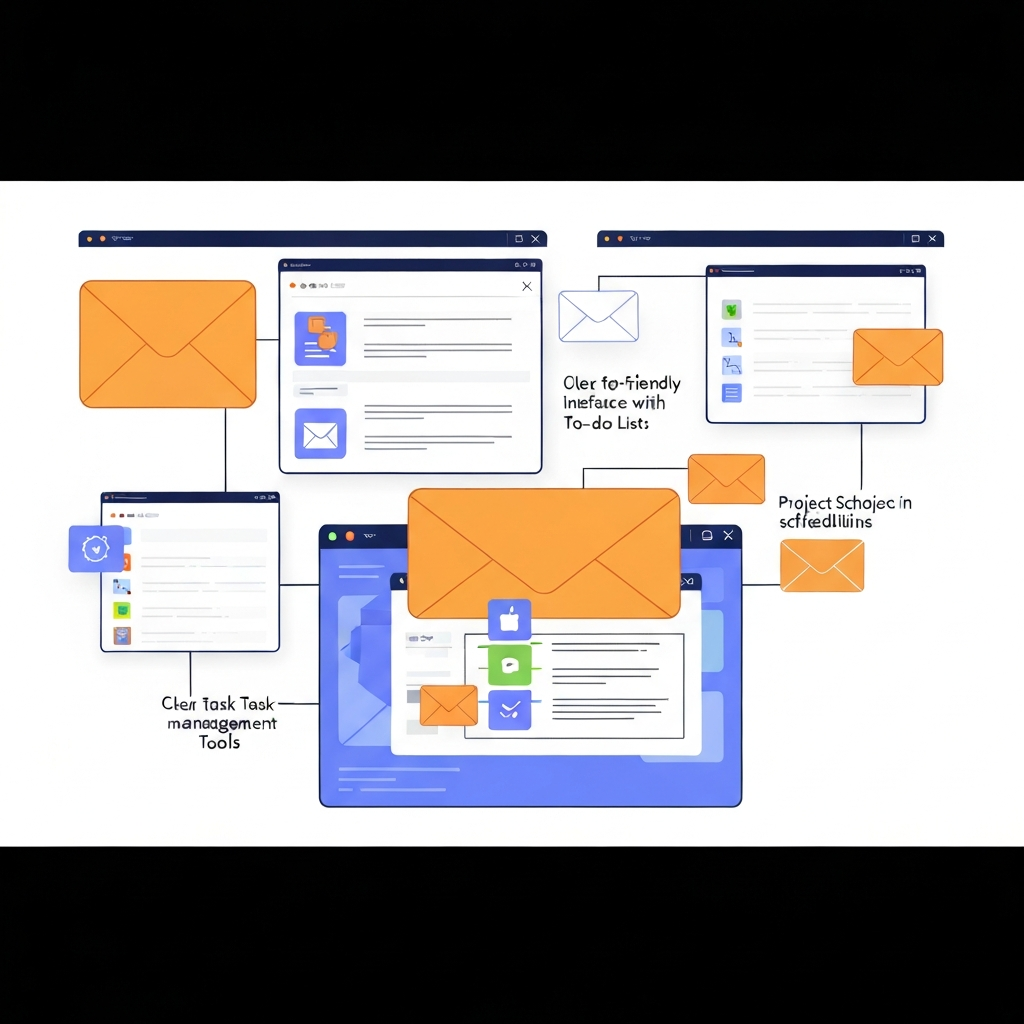
Some solutions go beyond just email management to offer integrated productivity suites. These platforms often combine email with chat, task management, and collaboration tools, aiming to reduce the need for external applications. They might include features like:
- Integrated task lists tied directly to emails.
- Team collaboration features within the email interface.
- Advanced analytics on email usage and response times.
These platforms are excellent for teams looking to centralize communication and project tracking. Spaceship mentions tools that integrate with popular services like Todoist, Asana, and Zoom, offering a solid foundation for email management software that enhances workflow. (Spaceship: Email Productivity Tools).
Email Automation Software
For businesses, especially those with sales or marketing functions, email automation is key. While often used for campaigns, the underlying principles can apply to internal workflows too, helping manage repetitive tasks and follow-ups more efficiently. (EmailTooltester: Email Automation Software).
When considering business email solutions, it's important to match the software's capabilities to your specific workflow and team size. What works for a solo entrepreneur might not be ideal for a large enterprise.
How to Choose the Right E Mail Software for Your Needs
Selecting the perfect e mail software is a personal journey, as the "best" solution depends entirely on your unique requirements, workflow, and preferences. To make an informed decision, consider the following factors:
Assess Your Current Pain Points
Before diving into features, identify what's not working with your current system. Are you struggling with:
- Too many unread emails?
- Difficulty finding old messages?
- Wasting time on repetitive replies?
- Missed deadlines due to poor organization?
- Lack of integration with other tools?
Understanding these issues will help you prioritize the features that will provide the most significant improvements.
Individual vs. Team Needs
Are you looking for a solution for yourself, or for an entire team? Team-oriented business email solutions often come with features like shared inboxes, team collaboration tools, and centralized administration, which might be unnecessary or overkill for individual users. Conversely, an individual might prioritize advanced personal customization and integration with their specific set of personal productivity tools.
Budget Considerations
E mail software ranges from completely free options to premium, subscription-based services. Free clients like Thunderbird offer extensive customization for those on a budget. Paid solutions often provide enhanced support, more advanced features, better security, and integrations. Many providers offer free trials, allowing you to test premium features before committing financially.
Platform Compatibility
Ensure the software you choose works seamlessly across all the devices and operating systems you use. If you work across Windows, macOS, iOS, and Android, a cross-platform solution or a web-based service with excellent mobile apps will be essential for consistent inbox organization and productivity.
Integration Ecosystem
Consider the other tools you rely on daily. Does the e mail software integrate with your CRM, project management apps, cloud storage, or communication platforms? Strong integrations can create a powerful, interconnected workflow, reducing manual data entry and context switching. Tools like Mailbird and Spark are often highlighted for their integration capabilities. (Mailbird: Outlook Alternatives).
Ease of Use vs. Advanced Features
Some users prefer a simple, intuitive interface that gets the job done with minimal fuss. Others thrive on highly customizable interfaces with a vast array of advanced features. Balance your need for power with your tolerance for complexity. A tool that's too complicated might hinder productivity rather than enhance it.
The best approach is often to shortlist a few options based on these criteria and take advantage of free trials. Experimenting with different interfaces and workflows will reveal which email management software truly fits your style.
Strategies for Maximizing Email Productivity with Your Chosen Software
Having the best e mail software is only half the battle; the other half is implementing effective strategies to leverage its power. Even the most sophisticated tools won't magically fix poor email habits. Here’s how to supercharge your productivity:
Embrace the "Inbox Zero" (or "Inbox Managed") Philosophy
The goal isn't necessarily to have zero emails in your inbox at all times, but rather to ensure that every email has been processed and acted upon. This means:
- Process, Don't Just Check: When you open an email, decide on its action. Can you delete it? Delegate it? Respond to it immediately (if it takes less than 2 minutes)? Defer it (schedule it for later or add it to a to-do list)? Archive it?
- Schedule Processing Times: Avoid checking email constantly. Dedicate specific blocks of time (e.g., 2-3 times a day) to process your inbox. This minimizes distractions and promotes focused work.
Master Filters, Rules, and Labels
Automate as much of your inbox organization as possible. Set up rules to automatically:
- Move newsletters and notifications to specific folders.
- Flag emails from important clients or team members.
- Archive routine system alerts.
This proactive approach helps reduce email clutter significantly, ensuring that only relevant and actionable emails appear in your primary inbox.
Leverage Templates and Quick Replies
For common inquiries or recurring messages, save time by using templates. Most email productivity tools allow you to create and save pre-written responses. This ensures consistency in your communication and drastically cuts down on typing time. You can also use snippets for frequently used phrases or sentences.
Utilize the Snooze Function
If an email requires action but you can't deal with it right now, use the snooze feature. This removes the email from your inbox temporarily and brings it back to your attention when you've scheduled yourself to handle it. It's a great way to keep your inbox clean while ensuring nothing falls through the cracks.
Optimize Your Search Skills
Get familiar with advanced search operators in your e mail software. Learning to search by sender, date range, keywords in the subject or body, or whether an attachment is present can save you minutes—or even hours—of manual searching.
Unsubscribe Ruthlessly
Unwanted newsletters and promotional emails are major contributors to inbox clutter. Take the time to regularly unsubscribe from mailing lists you no longer read. Many email clients or dedicated tools can help you do this efficiently. For guidance on how to tackle this, check out our article on how to unsubscribe from all emails easily.
Use Keyboard Shortcuts
Familiarize yourself with the keyboard shortcuts your e mail software offers. Actions like replying, forwarding, archiving, or deleting can be performed much faster with a quick key combination than by using a mouse.
By consistently applying these strategies, you can transform your relationship with email, making it a more manageable and less stressful part of your professional life.
The Role of AI in Modern E Mail Software (Broad Overview)
Artificial intelligence (AI) is rapidly transforming how we interact with our inboxes, moving beyond simple automation to offer intelligent assistance that significantly boosts productivity. While AI is not a replacement for good organizational habits or robust software, it acts as a powerful co-pilot, helping you manage email more effectively.
Smart Composing and Replies
AI-powered features like "Smart Compose" in Gmail suggest words and phrases as you type, speeding up message creation. Similarly, "Smart Reply" offers quick, context-aware response options for incoming emails, allowing you to respond to simple messages with a single click. This dramatically reduces the time spent on routine communication.
Intelligent Sorting and Prioritization
AI algorithms can learn your communication patterns and priorities to automatically sort your inbox. They can identify important emails from key contacts or concerning specific projects, flagging them or moving them to a priority folder. This helps ensure that critical messages don't get buried under less important ones, aiding in efficient email handling.
Writing Assistance and Summarization
Beyond just suggesting words, AI is emerging as a powerful writing assistant. Tools can help rephrase sentences, check grammar and tone, and even draft entire emails based on brief prompts. This is invaluable for professionals who need to communicate clearly and effectively. Furthermore, AI is beginning to offer email summarization, allowing you to quickly grasp the main points of lengthy messages without reading them in full. For assistance with crafting emails, remember our guide on how to help me write an email faster with AI. Beyond automated responses, advanced platforms now offer features that feel like having a dedicated assistant. For instance, tools like an ai executive assistant can help streamline your workflow by managing routine tasks, prioritizing messages, and even drafting replies, freeing up valuable cognitive load.
Automated Follow-ups and Reminders
Some AI systems can detect when a follow-up might be necessary (e.g., if you haven't received a response to an important email) and prompt you to send a reminder. This proactive approach helps ensure that important conversations don't stall.
Sentiment Analysis and Insights
Emerging AI capabilities can analyze the tone and sentiment of incoming emails, providing insights into customer satisfaction or team morale. This can be particularly useful for customer service and management roles.
While the integration of AI is still evolving, its current impact on email productivity tools is undeniable. It's shifting email management from a reactive task to a more proactive, intelligent, and less time-consuming process.
Future Trends in Email Management and Productivity Tools
The evolution of e mail software is far from over. As technology advances, we can expect even more sophisticated tools to emerge, further transforming how we manage our digital communications and boost productivity. Here are some key trends to watch:
Deeper AI Integration and Proactive Assistance
Expect AI to become even more embedded. Future AI assistants will likely go beyond suggesting replies to proactively managing your inbox based on your calendar, task lists, and communication patterns. This could include automatically scheduling follow-ups, prioritizing tasks derived from emails, and even initiating conversations based on detected needs.
Enhanced Collaboration Features
As remote and hybrid work models become standard, email clients are evolving to support team collaboration more effectively. We'll likely see more integrated features for shared inboxes, real-time co-editing of email drafts, and seamless handoffs between team members within the email interface.
Convergence with Task Management and CRM
The lines between email, task management, and CRM systems will continue to blur. Future tools will likely offer even tighter integrations, allowing users to convert emails directly into tasks or project items with a single click, or to view customer interaction history directly within the email context without leaving the application.
Focus on Privacy and Security
With increasing data privacy regulations and cyber threats, future email management software will place an even greater emphasis on robust security protocols, end-to-end encryption, and user control over data. Privacy-preserving features will become a key differentiator.
Personalized User Experiences
AI will enable more personalized user interfaces and workflows. Your email client could adapt its layout, notification settings, and feature suggestions based on your individual work habits and preferences, making efficient email handling more intuitive.
Staying abreast of these trends can help you choose software that is not only productive today but also future-proof, ensuring your e mail software continues to support your professional growth.
Conclusion: Taking Control of Your Inbox for Better Efficiency
The challenge of email overload is real, but it's not insurmountable. By understanding the capabilities of modern e mail software and implementing smart strategies, you can reclaim your time, reduce stress, and significantly boost your professional productivity. Whether you're a busy entrepreneur, part of a sales team, or a remote worker, the right tools and techniques can transform your inbox from a source of anxiety into a well-organized command center.
We've explored the essential features that drive efficiency, looked at the landscape of available solutions, and discussed how to choose the best fit for your needs. Remember, the most powerful email productivity tools are those that empower you to manage your communications effectively, allowing you to focus on what truly matters. Don't let your inbox dictate your day; take control.
Start by evaluating your current email habits and identifying areas for improvement. Explore the features offered by different e mail software options, take advantage of free trials, and commit to implementing at least one new productivity strategy this week. By proactively managing your inbox, you'll unlock greater efficiency, achieve your goals faster, and experience the peace of mind that comes with an organized digital life.
Frequently Asked Questions
