Best Mail Client Options for Business Professionals

In today's fast-paced business environment, your inbox is more than just a digital mailbox; it's a central hub for communication, collaboration, and decision-making. Yet, for many professionals, it's also a source of overwhelming stress and lost productivity. The sheer volume of emails, coupled with the constant demand for attention, can turn what should be a powerful tool into a productivity drain. This is where the humble yet mighty mail client steps in. Far beyond basic email sending and receiving, modern mail clients are sophisticated pieces of software designed to help you manage, organize, and act upon your communications efficiently. Choosing the right mail client can be a game-changer, transforming your inbox from a chaotic battlefield into a streamlined command center. This article dives deep into the best mail client options available for business professionals, helping you navigate the landscape of features, integrations, and capabilities to find the perfect solution for your unique needs.
The Evolving Role of the Mail Client in Business Productivity
Gone are the days when a simple email client was just a portal to send and receive messages. Today's business landscape demands more. Executives, entrepreneurs, sales teams, marketers, and remote professionals are all grappling with an ever-increasing influx of communications. The expectations are high: respond quickly, stay organized, collaborate seamlessly, and never miss a critical piece of information. In this context, the mail client has evolved into a comprehensive email management software, integrating with your entire digital workflow.
Think about the core functions a busy professional relies on daily:
- Communication: Sending and receiving emails, of course, but also managing threads, drafting professional messages, and ensuring clear communication.
- Organization: Keeping track of important messages, sorting through clutter, and quickly finding information when needed.
- Scheduling: Managing appointments, coordinating meetings, and integrating with calendars.
- Task Management: Turning emails into actionable items, setting reminders, and tracking progress.
- Collaboration: Sharing information, working with team members on documents, and coordinating projects.
- Information Retrieval: Quickly searching for specific emails, contacts, or attachments amidst thousands of messages.
- Security: Protecting sensitive business information from phishing, malware, and unauthorized access.
A powerful mail client acts as the central nervous system for these activities. It's not just about reading emails; it's about leveraging them to drive business forward. As we explore the best mail client options, we'll focus on how they empower professionals to achieve greater efficiency and reduce the cognitive load associated with email management.
Key Features to Look for in a Business Mail Client
When evaluating different mail client solutions, it's crucial to identify the features that directly contribute to business productivity. A one-size-fits-all approach rarely works, but certain capabilities are universally beneficial for professionals. Here are the must-have features to consider:
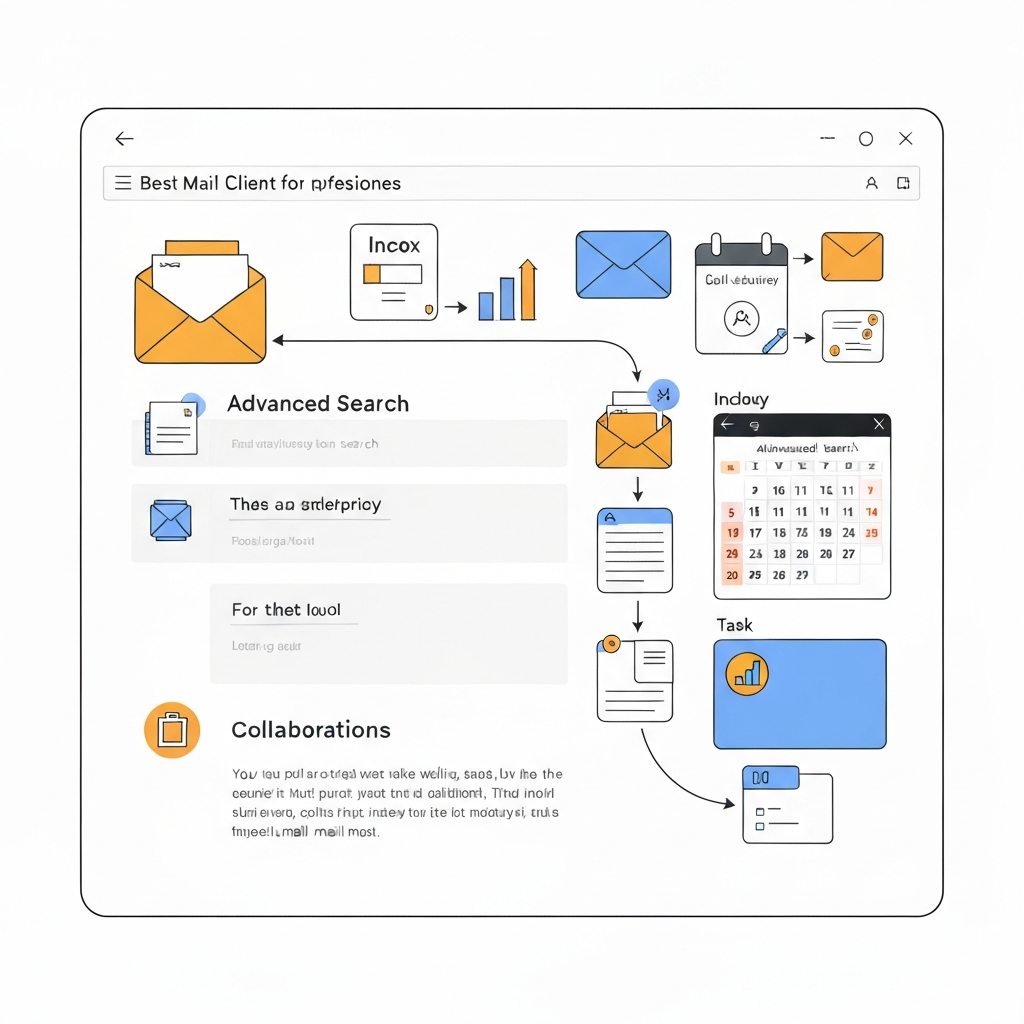
- Advanced Search Capabilities: The ability to quickly find any email, contact, or attachment using powerful search operators (e.g., by sender, date range, keywords, attachment type) is non-negotiable.
- Robust Organization Tools: Beyond simple folders, look for features like labels, tags, rules/filters for automatic sorting, snoozing emails to revisit later, and pin/star functionality. Effective inbox organization tools are vital for managing high volumes.
- Calendar Integration: Seamless synchronization with your calendar (Google Calendar, Outlook Calendar, etc.) allows you to schedule meetings directly from emails, view availability, and manage your time effectively.
- Task Management Integration: The capacity to convert emails into tasks, set deadlines, and integrate with dedicated task management applications (like Asana, Trello, Todoist) keeps action items visible and manageable. This is key to turning emails into actionable items.
- Collaboration Features: For teams, features like shared inboxes, email delegation, internal commenting on emails, and shared drafts can significantly improve teamwork and communication flow.
- Templates and Quick Replies: Pre-written responses for common inquiries save significant time and ensure consistent messaging.
- Cross-Platform Sync: Access your inbox, folders, and settings across multiple devices (desktop, mobile, and web), ensuring continuity no matter where you work.
- Security and Privacy: End-to-end encryption, strong authentication options (like 2FA), and clear data privacy policies are paramount for protecting sensitive business communications. A secure email client is a fundamental requirement.
- Customization and Extensibility: The ability to tailor the interface, set up custom rules, and integrate with other business tools through plugins or APIs can enhance workflow.
- AI-Powered Assistance: Emerging AI features can automate tasks, suggest replies, summarize long threads, prioritize emails, and even help detect spam or phishing attempts, significantly boosting AI email productivity.
By focusing on these features, you can better assess which mail client will truly enhance your professional workflow.
Top Mail Client Options for Professionals
The market offers a variety of powerful mail client applications, each with its strengths. Here's a look at some of the leading contenders for business professionals:
Microsoft Outlook
A long-standing giant in the business world, Microsoft Outlook is often the default choice for many organizations, especially those heavily invested in the Microsoft ecosystem. It's more than just an email client; it's a comprehensive personal information manager.
- Strengths: Deep integration with Microsoft 365 (Word, Excel, PowerPoint, Teams, SharePoint), robust calendar and contact management, powerful rules and filtering, excellent support for Exchange accounts, and strong enterprise security features. It's a go-to for many when considering business email solutions.
- Features: Focused Inbox, scheduling assistant, task management (To-Do integration), shared mailboxes, meeting scheduling, advanced search, and add-ins for third-party services.
- Best For: Large enterprises, organizations using Microsoft 365, users who need integrated calendar and task management within a single application.
Google Workspace (Gmail Web Interface & Desktop Clients)
Gmail's web interface, combined with its robust backend and integration with Google Workspace apps, makes it a formidable mail client solution. For many, the web interface *is* their primary client, but desktop applications also exist and integrate with Gmail.
- Strengths: Unparalleled search capabilities, intuitive interface, excellent spam filtering, seamless integration with Google Drive, Docs, Sheets, Calendar, and Meet. Its AI features are continuously improving, offering smart replies and nudges. It's a strong competitor in the gmail enterprise email space.
- Features: Smart Compose, smart replies, Nudges (reminders to follow up), Priority Inbox, labels and filters, offline access, extensive add-on marketplace, and powerful collaboration tools.
- Best For: Startups, SMBs, and enterprises that leverage Google Workspace, users who prioritize search speed and cloud-based accessibility, and those looking for advanced AI features. You can explore more about its enterprise capabilities in our Gmail enterprise email guide.
Spark Mail
Spark has gained popularity for its user-friendly design and focus on making email less stressful. It aims to bring order to chaos with intelligent features.
- Strengths: Smart Inbox that prioritizes important emails, quick replies, email snoozing, integrated calendar view, team collaboration features (shared inboxes, shared drafts), and a clean, intuitive interface.
- Features: Smart Inbox, Send Later, Reminders, Templates, Search, customizable notifications, and integrations with popular productivity tools.
- Best For: Individuals and small teams looking for a modern, intelligent mail client that helps declutter the inbox and improve focus.
Mozilla Thunderbird
As a free and open-source option, Thunderbird has long been a favorite for its customizability and privacy-focused approach. It's a powerful, no-frills mail client.
- Strengths: Highly customizable, strong privacy focus, support for multiple email accounts and protocols, extensive add-on library for extended functionality, and a robust filtering system. It's a solid choice for those who value control and transparency.
- Features: Tabbed email, quick filter search, message grouping, built-in address book, calendar add-on (Lightning), extensive customization options through add-ons.
- Best For: Privacy-conscious users, those who prefer open-source software, individuals managing multiple email accounts from different providers, and users who enjoy customizing their software.
eM Client
eM Client is a feature-rich desktop application designed for Windows and Mac that aims to be an all-in-one solution for email, calendars, contacts, and tasks. It's particularly adept at handling large mailboxes.
- Strengths: Modern interface, excellent support for various email services (Gmail, Outlook, Exchange, iCloud), integrated calendar, contacts, chat, and task management. It offers a lifetime license option, providing good long-term value.
- Features: Rich text editor, attachment search, email templates, calendar synchronization, task management, built-in chat, and support for PGP encryption.
- Best For: Users looking for a powerful, integrated desktop client that can handle large volumes of email and offers a lifetime purchase option.
Comparing User Interface and Ease of Use Across Top Clients
The best mail client is one you'll actually use, and user interface (UI) and ease of use (UX) play a massive role in this. A cluttered or unintuitive interface can negate even the most powerful features.
- Outlook: Its interface is familiar to many business users, especially those accustomed to the Microsoft Office suite. It's feature-rich but can feel dense for new users. Customization options are available, but the learning curve can be steeper for advanced features.
- Gmail (Web): Generally praised for its clean, minimalist design. Its strength lies in its search-driven approach and the use of labels and filters, which many find more intuitive than traditional folders. It’s highly accessible from any browser.
- Spark Mail: Stands out for its modern, clean aesthetic. The "Smart Inbox" is a prominent UI element that guides users toward important messages. Navigation is straightforward, making it easy to adopt for users transitioning from simpler email clients.
- Thunderbird: Highly customizable, which means its UI can vary greatly depending on user preferences and installed add-ons. Out-of-the-box, it's functional but perhaps less visually polished than Spark or Gmail. Its flexibility is its UI strength for power users.
- eM Client: Offers a polished and modern UI that closely resembles Outlook but often feels more streamlined. It presents all its integrated tools (email, calendar, contacts, tasks) in a well-organized sidebar, making it easy to switch between functions.
For professionals prioritizing speed and a streamlined experience, Spark and Gmail often win. For those needing deep integration within a specific ecosystem or extensive customization, Outlook and Thunderbird are strong contenders. eM Client offers a good balance of modern design and comprehensive functionality.
Advanced Features: Organization, Search, and Automation Capabilities
Beyond basic sending and receiving, advanced features are what truly differentiate a good mail client from a great one, especially when it comes to managing high email volumes and boosting productivity.
Inbox Organization Tools
Effective organization is key to preventing inbox overload. Look for clients that offer:
- Smart Folders/Labels: Tools like Gmail's labels or Outlook's categories allow you to tag emails and view them across different virtual folders without duplicating messages.
- Rules and Filters: Automate the sorting of incoming emails based on sender, subject, keywords, or other criteria. This can automatically move newsletters to a specific folder, flag important messages, or archive less critical communications. This is a fundamental aspect of inbox organization tools.
- Snooze Functionality: Temporarily remove emails from your inbox and have them reappear at a more convenient time. This is perfect for messages you can't deal with right now but don't want to forget.
- Archiving: A clean way to remove emails from your primary inbox while keeping them searchable for future reference. Many professionals benefit from learning easy ways to unsubscribe from emails and declutter their primary view.
Search Capabilities
When you need to find something, you need it *now*. Advanced search functions include:
- Boolean Operators: Using AND, OR, NOT, and parentheses to refine search queries.
- Wildcards: Using asterisks (*) to match any characters.
- Field Searches: Searching specifically within the 'To', 'From', 'Subject', 'Date', or 'Has Attachment' fields.
- Natural Language Search: Some clients are starting to incorporate AI that allows you to search using more conversational phrases.
Gmail's search, in particular, is legendary for its speed and power, closely mimicking Google's web search capabilities.
Automation and AI Assistance
This is where the modern mail client truly shines, offering significant gains in AI email productivity.
- Templates and Canned Responses: Save time by creating and using pre-written responses for frequently asked questions or common email types.
- Quick Actions: Perform common tasks like archiving, deleting, or marking as read with a single click or swipe.
- AI-Powered Summarization: Some advanced clients can summarize long email threads, giving you the gist without reading every message.
- Smart Reply/Compose: AI suggests short replies or helps you draft emails faster by predicting your next words or phrases.
- Email Prioritization: AI can learn your habits and flag emails that are most important or urgent, helping you focus on what matters most.
For professionals drowning in emails, tools like an ai executive assistant can be invaluable. These platforms can go beyond simple suggestions, automating tasks, scheduling follow-ups, and even drafting responses, freeing up significant time for strategic work. Exploring how an ai executive assistant can help streamline your workflow is a smart move for any busy professional.
Leveraging these advanced features can drastically improve your efficiency. Consider how tools that help turn emails into actionable tasks can further enhance your workflow. You can learn more about this in our guide on how to turn emails into actionable tasks.
Integration with Other Productivity Tools
Your mail client shouldn't operate in a silo. Its true power is unlocked when it seamlessly integrates with the other tools you use daily. This creates a connected ecosystem that streamlines workflows and reduces context switching.
- Calendar Integration: This is perhaps the most critical integration. Being able to schedule meetings, check availability, and add events directly from emails (e.g., "Let's schedule a call next week") without leaving your inbox saves immense time. Outlook integrates with Outlook Calendar, while Gmail works flawlessly with Google Calendar. Other clients typically support standard protocols like CalDAV.
- Task Management Tools: For sales professionals or project managers, integrating with tools like Asana, Trello, Todoist, or Microsoft To-Do is essential. The ability to convert an email into a task, assign it, and set a deadline within your task manager, all from the email client, ensures nothing falls through the cracks. This can significantly help to boost sales follow up speed.
- CRM Systems: Sales and customer success teams rely heavily on CRM software (Salesforce, HubSpot, Zoho CRM). Many advanced mail clients offer plugins or integrations that allow you to log emails, create contacts, and track customer interactions directly from your inbox, providing valuable insights. This can help you unlock business insights from email.
- Cloud Storage: Easy integration with services like Google Drive, Dropbox, or OneDrive allows for quick sharing of large files and ensures that attachments are stored and accessible from a central cloud location.
- Communication Platforms: For teams, integrating with Slack or Microsoft Teams can allow you to easily share email content or start a chat conversation about an email thread without copy-pasting.
When choosing a mail client, list the other essential tools in your business stack and verify the client's integration capabilities. This ensures your chosen solution will fit harmoniously into your existing workflow rather than creating new friction.
Security and Privacy Considerations for Business Mail Clients
For businesses, email often contains sensitive information, making security and privacy paramount. A compromised inbox can lead to data breaches, reputational damage, and significant financial loss. When evaluating a secure email client, consider the following:
- Encryption: Look for clients that support end-to-end encryption (E2EE) for maximum privacy, ensuring only the sender and recipient can read messages. Transport Layer Security (TLS) is standard for securing email in transit, but E2EE secures it even from the email provider.
- Authentication: Two-factor authentication (2FA) or multi-factor authentication (MFA) is a critical layer of security that requires more than just a password to log in, significantly reducing the risk of unauthorized access.
- Data Handling Policies: Understand how the provider handles your data. Do they scan your emails for advertising? What are their data retention policies? For businesses, dedicated enterprise solutions often provide stronger guarantees about data privacy and compliance (e.g., GDPR, HIPAA).
- Spam and Phishing Protection: Robust built-in filters are essential for protecting your inbox from malicious content. Many modern clients leverage AI for this purpose.
- On-Premise vs. Cloud: Some businesses require on-premise solutions for maximum control, while others prefer the scalability and accessibility of cloud-based services. Ensure the client supports your preferred deployment model or offers strong security guarantees for its cloud offering.
- Provider Reputation: Research the security track record and privacy reputation of the mail client provider.
When dealing with confidential client data, financial information, or proprietary company secrets, investing in a secure email client and practicing good email hygiene are non-negotiable.
Making the Right Choice: Selecting the Best Mail Client for Your Needs
With so many excellent mail client options available, how do you make the best choice for your business? It comes down to understanding your specific needs and priorities.
- Assess Your Current Ecosystem: Are you heavily invested in Microsoft 365? Outlook is likely your strongest contender. Do you live in Google Workspace? Gmail's web interface or a client that deeply integrates with it will be ideal.
- Identify Your Biggest Pain Points: Is your primary issue overwhelming volume? Look for clients with strong AI assistance and smart inbox features (e.g., Spark, or advanced AI tools). Is it finding information? Prioritize robust search. Is it task management? Focus on integrations.
- Consider Your Team Size and Collaboration Needs: For teams, shared inboxes, delegation, and collaborative drafting features become critical. Spark, Outlook, and some specialized team email clients excel here.
- Evaluate Your Budget: Some clients are free (Thunderbird), while others are part of subscription services (Outlook with Microsoft 365, Gmail with Google Workspace) or premium standalone apps (Spark's advanced features, Superhuman). eM Client offers a compelling one-time purchase.
- Think About Platform and Accessibility: Do you need to access your email from Windows, Mac, Linux, iOS, and Android? Ensure the client offers robust apps across all your required platforms and syncs flawlessly.
- Prioritize Security and Privacy: For highly regulated industries or those handling sensitive data, a secure email client with strong encryption and clear privacy policies is non-negotiable.
- Test Drive: Most paid clients offer free trials. Take advantage of these to test the UI, features, and integrations with your actual workflow before committing.
Ultimately, the best mail client is the one that helps you reclaim your time, reduce stress, and become more effective in your role. It should empower you to manage your communications efficiently, allowing you to focus on strategic tasks and business growth. For those looking to significantly enhance their AI email productivity and delegate more complex email management tasks, exploring solutions like an ai executive assistant can offer a transformative approach.
Conclusion
The quest for the best mail client is a journey towards greater professional efficiency. In an era defined by constant digital communication, your email client is a critical tool that can either hinder or accelerate your progress. By understanding the evolving role of email clients, identifying essential features like advanced organization, powerful search, seamless integration, and robust security, and carefully evaluating top contenders like Outlook, Gmail, Spark, Thunderbird, and eM Client, you can make an informed decision.
The right mail client can transform your inbox from a source of frustration into a powerful productivity hub, enabling you to manage your communications effectively, stay organized, and focus on what truly matters. Don't underestimate the impact of this fundamental tool on your daily workflow and overall business success. Take the time to assess your needs, explore the options, and choose a mail client that empowers you to conquer your inbox.
```
Frequently Asked Questions
