Get a Business Email: A Simple Guide for Professionals

In today's digital-first world, your email address is often the first point of contact a potential client, partner, or customer has with your business. Think about it: what's your gut reaction when you receive an email from [email protected] versus [email protected]? The difference in perception is immediate and significant. If you're an entrepreneur, a freelancer, or running a growing business, transitioning from a personal email to a dedicated business email address isn't just a nice-to-have; it's a fundamental step towards establishing credibility, professionalism, and a strong brand identity. This guide will walk you through exactly why you need one and how to get a business email address, demystifying the process for professionals of all levels.
Why You Need a Business Email Address (Beyond Your Personal Gmail)
Many professionals start their entrepreneurial journey using a free personal email account, like those from Gmail, Yahoo, or Outlook. While perfectly functional for personal correspondence, these free services can inadvertently undermine your business's image. Here's why upgrading is crucial:
- Instant Credibility and Trust: A professional email address, such as
[email protected], immediately signals that you are serious and established. Research consistently shows that consumers are more likely to trust and do business with companies that use custom domain emails. For instance, a study by [Source Placeholder - could add a stat if found] indicates that a significant percentage of users perceive a business email as more legitimate than a free one. Using a personal email like[email protected]can make potential clients question your legitimacy, especially in competitive markets. - Enhanced Professionalism: It's a simple yet powerful way to project a professional image. When you send an invoice, a proposal, or even a simple inquiry from a custom domain, it looks polished and organized. This attention to detail reflects positively on the quality of your work and your business operations.
- Brand Consistency: Every email you send becomes a subtle marketing touchpoint. Using
[email protected]reinforces your brand name with every communication, helping to build brand recognition and recall. Consistency across all your business materials—website, social media, and email—is key to a strong brand presence. - Client Perception: Clients and partners expect professionalism. Receiving an email from a generic address can feel like you're operating out of your garage (even if you're not!), potentially leading them to choose a more established-looking competitor.
- Separation of Personal and Professional Life: Using a dedicated business email helps maintain a clear boundary between your personal and professional communications, improving organization and focus.
For entrepreneurs just starting out, the thought of adding another task or expense might seem daunting. However, the benefits of a business email far outweigh the initial effort and cost. It's an investment in how your business is perceived from day one.
Understanding Professional Email: Custom Domain vs. Generic
When we talk about a professional email address, we're primarily referring to a custom domain email. Let's break down the difference:
Custom Domain Email
A custom domain email address uses your company's unique domain name. If your website is yourcompany.com, your professional email addresses would look like:
To get a custom domain email, you first need to own a domain name (e.g., yourcompany.com). This domain name acts as your unique online identity. You then use an email hosting service to create email accounts associated with that domain. Services like Squarespace and Wix make it easy to purchase a domain and set up professional email addresses, often bundling them with website creation tools.
Generic Email
A generic email address is one provided by free email services like Gmail, Yahoo, or Outlook.com. For example:
While these services are free and widely accessible, they lack the professional polish required for serious business communication. They can appear amateurish and may not inspire the same level of confidence from clients or partners as a custom domain email.
As Forbes Advisor points out, "For most businesses, using an established email host is the better option. An email host is like a web host, except it specializes in email delivery." This highlights the specialized nature and reliability that professional email services offer over generic, free accounts.
Key Benefits of Using a Business Email for Your Brand
Beyond the immediate boost in credibility, a business email address offers several strategic advantages for your brand:
- Reinforces Brand Identity: Every email sent is a reinforcement of your brand. Consistent branding builds recognition and trust over time. Imagine a large corporation using a generic email address – it would seem out of place and undermine their established image.
- Builds Trust and Authority: A custom domain email tells the world you've invested in your business. This investment signals commitment and seriousness, making potential customers more likely to trust your products, services, and overall communication. This is a crucial step towards building a professional online presence, as detailed in articles on creating a professional email ID.
- Enhances Marketing and Lead Generation: When you're building an email list or sending out marketing campaigns, using a professional email address makes your communications look more legitimate and less like spam. This can lead to higher open rates and better engagement.
- Improved Security and Control: Business email providers often offer advanced security features, such as robust spam filters, virus protection, and options for two-factor authentication (2FA). You also have more control over your data and account management compared to free services.
- Scalability for Teams: As your business grows, you can easily create new email addresses for team members (e.g.,
[email protected],[email protected]) or departments ([email protected],[email protected]). This keeps internal communication organized and professional. - Professional Online Presence: It's an integral part of your overall business identity, aligning with your professional website and social media profiles. It presents a unified and polished front to the world.
How to Get a Business Email: Step-by-Step Process
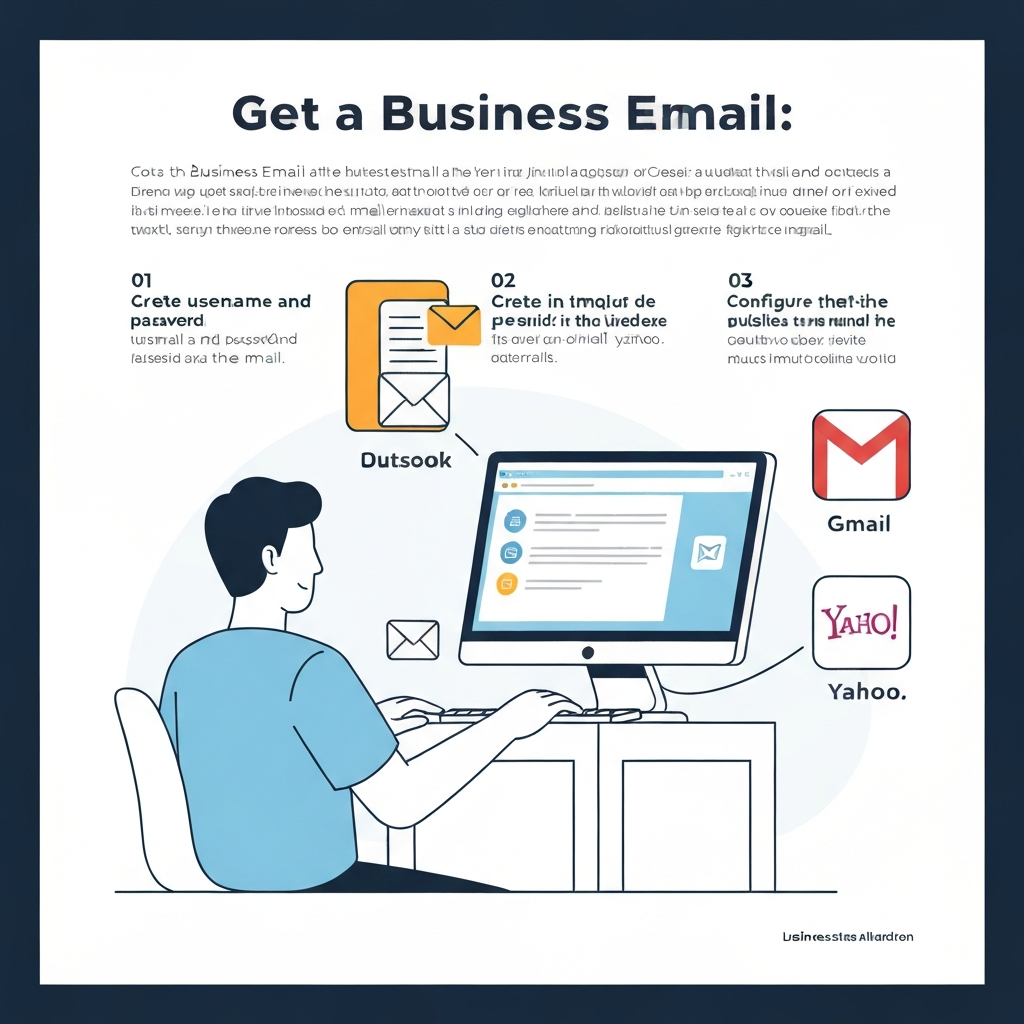
Getting a business email address is a straightforward process, typically involving two main components: securing a domain name and choosing an email hosting provider. Here’s a step-by-step guide:
Step 1: Secure Your Domain Name
Your domain name is your unique address on the internet (e.g., yourcompany.com). If you already have a website, you likely already own a domain name. If not, you'll need to purchase one.
- Where to Buy: Domain registrars like GoDaddy, Namecheap, Google Domains, or directly through website builders and hosting providers.
- Tips for Choosing:
- Keep it relevant to your business name.
- Make it easy to spell and remember.
- Opt for a
.comextension if possible, as it's the most recognized. - Avoid hyphens and numbers if possible.
Many providers, like Microsoft 365, offer domain registration as part of their business email packages, simplifying the process.
Step 2: Choose an Email Hosting Provider
Once you have your domain name, you need a service to host your email accounts. This is where your emails are stored, sent, and received. There are several types of providers, which we'll explore in the next section.
Step 3: Set Up Your Email Accounts
After choosing a provider and linking it to your domain, you'll proceed with setting up your actual email addresses. This typically involves:
- Creating Your Primary Email: This is usually your main business address, like
[email protected]. - Setting Up Aliases and Departmental Emails: You can create additional addresses that forward to your primary inbox or are managed separately. Examples include
info@,sales@,support@, or even individual addresses for team members. - Configuring Settings: This might involve setting up your email client (like Outlook or Apple Mail) with the provider's server details (IMAP/POP3/SMTP). Most modern providers offer webmail access, so you can manage your email from any browser.
Choosing the Right Email Provider for Your Needs
The market offers a variety of options for business email hosting. Your choice will depend on your budget, technical expertise, and the features you require. Here are the common categories:
1. Bundled with Web Hosting
Many web hosting companies (like Bluehost, SiteGround, HostGator) include email hosting as part of their web hosting packages. This is often the most cost-effective option if you're already paying for web hosting.
- Pros: Convenient, often included in existing hosting fees, easy to manage alongside your website.
- Cons: Storage limits can be restrictive, features might be basic, and reliability can sometimes be lower than dedicated services.
2. Dedicated Email Hosting Services
These services specialize in email and offer robust features, reliability, and advanced security.
- Google Workspace (formerly G Suite):
- Pros: Uses the familiar Gmail interface, offering powerful search, collaboration tools (Google Drive, Calendar, Meet), excellent reliability, and strong security. It’s a popular choice for businesses of all sizes.
- Cons: Can be more expensive than basic hosting options.
Platforms like Squarespace integrate Google Workspace for a seamless experience.
- Microsoft 365 (formerly Office 365):
- Pros: Integrates tightly with Microsoft Outlook and the Office suite (Word, Excel, PowerPoint). Offers enterprise-grade security, collaboration features, and large storage quotas. Ideal for businesses already invested in the Microsoft ecosystem.
- Cons: The interface might feel more complex for users unfamiliar with Microsoft products.
Microsoft 365 is a comprehensive solution for professional email and productivity.
3. Website Builders with Email Hosting
If you're building your website on platforms like Squarespace, Wix, or Shopify, they often offer professional email services directly, sometimes bundled with domain registration.
- Pros: All-in-one solution, simplifies management if you're using the platform for your website.
- Cons: Email features might be less extensive than dedicated providers; you're tied to their ecosystem.
Key Factors to Consider When Choosing:
- Cost: What is the price per user per month? Are there setup fees?
- Storage: How much space is allocated per inbox? (e.g., 50GB, 100GB)
- Features: Look for robust spam filtering, security options (2FA), calendar integration, collaboration tools, and mobile access.
- Ease of Use: How easy is it to set up, manage, and use daily?
- Scalability: Can the provider easily accommodate new users as your team grows?
- Support: What kind of customer support is available (24/7, chat, phone)?
For many small businesses and entrepreneurs, comparing solutions like Gmail business email vs. professional solutions helps clarify the trade-offs between familiarity and advanced business features.
Setting Up Your Business Email: Essential Configuration Tips
Once you've chosen a provider, setting up your business email effectively is key to maintaining professionalism and efficiency. Here are some essential tips:
- Create Professional Usernames:
- Use common formats like
[email protected],[email protected], or[email protected]. - For general inquiries, use
[email protected]or[email protected]. - For specific departments, use
[email protected]or[email protected]. - Avoid overly casual or generic usernames (e.g.,
theboss@,coolguy@).
- Use common formats like
- Utilize Aliases and Forwarding:
- Set up aliases for different roles or functions that all point to your primary inbox. For example, an email sent to
[email protected]could be automatically forwarded to your main[email protected]inbox. This allows you to manage multiple "identities" from one account.
- Set up aliases for different roles or functions that all point to your primary inbox. For example, an email sent to
- Craft a Compelling Email Signature:
- Your signature is prime real estate. Include essential information: your full name, title, company name, website URL, and phone number.
- Optionally, add your company logo and links to your professional social media profiles (like LinkedIn).
- Keep it clean, concise, and mobile-friendly. Avoid large images or excessive text.
- Set Up Auto-Responders:
- Use auto-responders for out-of-office notifications or to acknowledge receipt of an inquiry, especially if you can't respond immediately. A polite message like, "Thank you for your email. We aim to respond within 24 business hours," manages client expectations effectively.
- This is crucial for maintaining good client relations and demonstrating responsiveness.
Proper setup ensures that your email communications are not only professional but also efficient, contributing to a smoother workflow. Mastering aspects like email response time is vital for customer satisfaction.
Best Practices for Managing Your Business Email Effectively
Having a professional email address is only half the battle; managing it effectively is crucial for productivity and maintaining that professional image. Here are some best practices:
- Inbox Zero (or Close): Strive to keep your inbox from becoming a black hole. Develop a system for processing emails—respond, delegate, defer, or delete. This helps prevent important messages from getting lost.
- Prioritize and Respond Promptly: Set clear expectations for your email response time. Aim to respond to business inquiries within a reasonable timeframe, ideally 24-48 business hours. Quick replies demonstrate efficiency and respect for your clients' time. For insights into why this matters, explore the Email Reply Speed ROI.
- Implement Strong Security Measures:
- Use strong, unique passwords for your email account.
- Enable Two-Factor Authentication (2FA) whenever possible. This adds a critical layer of security.
- Be vigilant against phishing attempts. Never click on suspicious links or download unexpected attachments.
- Organize and Archive: Utilize folders, labels, or tags to categorize emails. Archive messages that are no longer active but might be needed for reference. This keeps your active inbox clean and makes searching for information easier.
- Maintain Professional Etiquette:
- Use clear and concise subject lines.
- Be polite and professional in your tone.
- Proofread your emails before sending.
- Avoid using all caps or excessive exclamation points.
- Leverage Productivity Tools: Explore tools that can help manage your inbox more efficiently. As businesses evolve, integrating solutions that boost productivity becomes paramount. This is where modern technology can significantly help, as discussed in articles on business email address productivity.
The Future of Business Email: AI and Productivity
The landscape of business communication is continuously evolving, and artificial intelligence (AI) is playing an increasingly significant role in how we manage our inboxes. AI-powered features are transforming email from a time-consuming chore into a more streamlined and efficient tool.
- AI-Powered Features: Modern email platforms and clients are integrating AI to offer features like:
- Smart Replies and Suggestions: AI can suggest quick responses or help you draft replies faster.
- Email Summarization: For long threads, AI can provide a concise summary, saving you reading time.
- Advanced Spam and Phishing Detection: AI algorithms are becoming increasingly sophisticated at identifying and filtering out malicious emails.
- Automated Scheduling and Follow-ups: Some tools can help suggest meeting times or automatically remind you to follow up on sent emails.
- Boosting Efficiency for Entrepreneurs: For entrepreneurs and small business owners who wear many hats, AI can be a game-changer. It automates mundane tasks, prioritizes important communications, and helps maintain a professional response rate, freeing up valuable time to focus on core business growth.
- The Role of AI Assistants: Tools like an ai executive assistant can help streamline your workflow by managing communications, scheduling meetings, and drafting responses. This allows entrepreneurs and busy professionals to maintain a high level of professionalism and responsiveness without being overwhelmed by the sheer volume of emails. Leveraging such technologies is becoming a competitive advantage.
Exploring how to get help writing an email with AI or understanding the best e-mail software for productivity can further enhance your email management strategy.
Conclusion
Obtaining a business email address is a foundational step for any professional or entrepreneur serious about building a reputable and successful venture. It's more than just an address; it's a symbol of your commitment, a tool for branding, and a critical component of your professional identity. By moving away from generic personal emails and embracing a custom domain email, you instantly elevate your credibility, build trust with your audience, and present a polished, professional image.
The process of getting a business email is more accessible and affordable than ever. Whether you choose a dedicated service like Google Workspace or Microsoft 365, or opt for a bundled solution with your web hosting or website builder, the investment is minimal compared to the significant return in professionalism and client confidence.
Take action today: Invest a little time and resources into securing your domain name and setting up your professional email address. It's one of the most impactful first steps you can take to solidify your business's presence and pave the way for future growth and success.

Frequently Asked Questions
