How to Unsubscribe From All Emails Easily
In today's fast-paced professional world, your inbox often feels less like a communication tool and more like a digital avalanche. The constant stream of notifications, newsletters, promotional offers, and updates can quickly become overwhelming, burying important messages under a mountain of digital noise. For busy executives, entrepreneurs, and sales professionals, this isn't just an annoyance; it's a significant drain on precious time and a major impediment to **email productivity**. If you're drowning in emails and struggling to find what you need, learning how to effectively **unsubscribe from all emails** is no longer optional – it's essential for reclaiming your focus and achieving true **inbox zero**. This guide will equip you with the strategies and tools you need to tackle email overload head-on, transforming your inbox from a source of stress into a well-managed asset.
Why Unsubscribing is Crucial for Productivity
The sheer volume of email we receive daily is staggering. Statistics suggest that the average office worker receives over 120 emails per day. Imagine spending even 10% of your workday just sifting through these messages, trying to identify what's important and what's not. This constant context-switching and manual filtering significantly erodes your **email productivity**. When your inbox is cluttered with unwanted messages, crucial communications can get lost, leading to missed opportunities, delayed responses, and even professional missteps. For sales professionals, this can directly impact **sales follow up speed** and customer relationships.
Beyond the time cost, email overload contributes to mental fatigue and stress. The anxiety of an overflowing inbox can be a constant background hum, making it harder to concentrate on high-priority tasks. By taking proactive steps to **unsubscribe from all emails** that no longer serve you, you:
- Save Valuable Time: Reduce the hours spent deleting or ignoring irrelevant messages.
- Enhance Focus: Eliminate distractions and allow yourself to concentrate on critical communications.
- Improve Decision-Making: Ensure important emails aren't buried by promotional content.
- Reduce Stress: Gain a sense of control over your digital environment.
- Achieve Inbox Zero: Make your inbox a tool for efficiency, not a source of dread.
Effectively managing your subscriptions is a fundamental aspect of modern **email management** and a key step towards a more streamlined workflow.
Manual Unsubscribe: The Direct Approach
The most straightforward method to **unsubscribe from all emails** is the manual approach: locating and clicking the unsubscribe link provided by the sender. While this might seem tedious, it's often the most direct and reliable way to stop specific unwanted communications.
Understanding the 'Unsubscribe' Link
Most legitimate marketing emails and newsletters are legally required to include an unsubscribe mechanism. This is typically found at the very bottom of the email, often in small print. It might say "Unsubscribe," "Manage Preferences," "Opt-Out," or something similar.
How to Manually Unsubscribe:
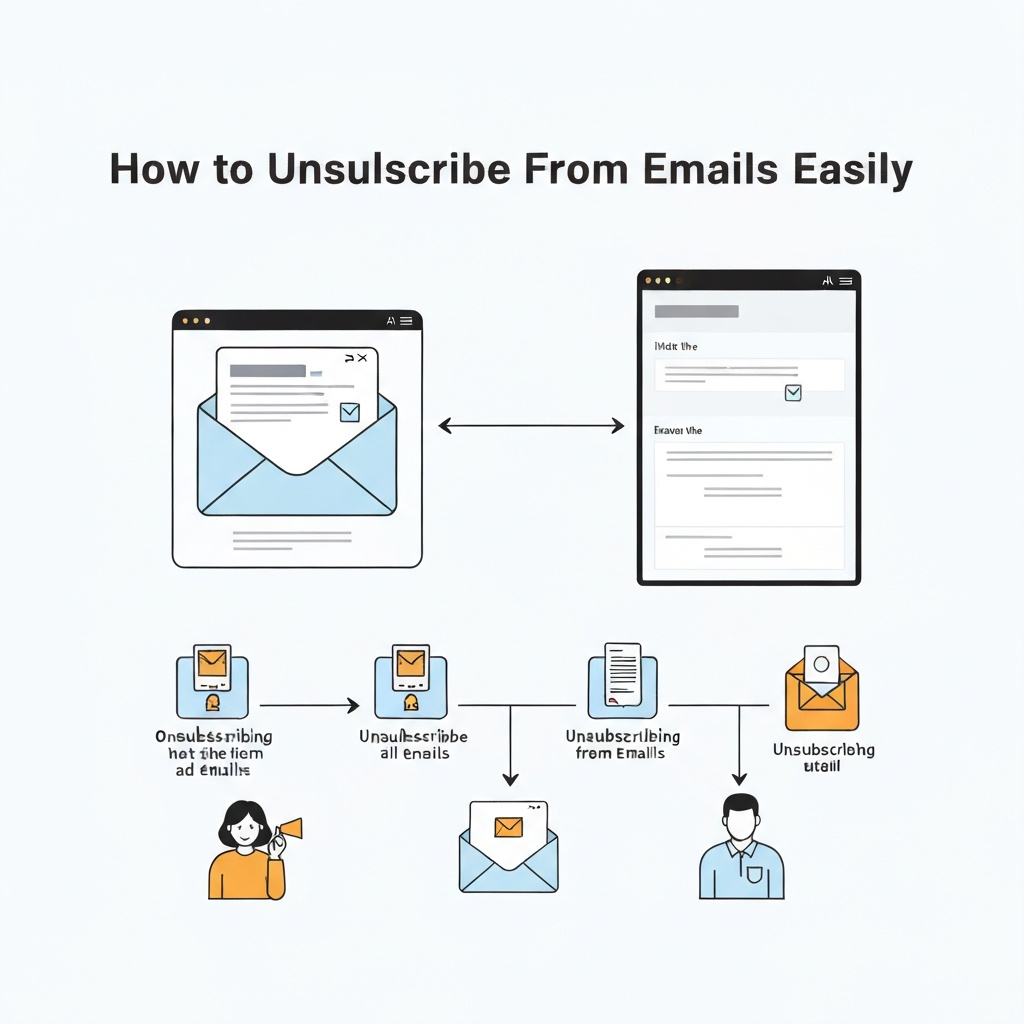
- Open the email you wish to stop receiving.
- Scroll to the bottom of the email body.
- Locate the unsubscribe link.
- Click the link. This will usually open a webpage or prompt a confirmation within your email client.
- Follow the on-screen instructions to confirm your unsubscribe request.
It's important to note that the functionality of these links can vary. Some links will unsubscribe you from all future communications from that specific sender, while others might only remove you from a particular mailing list. For instance, Gmail offers a helpful unsubscribe option directly at the top of an email thread, which can sometimes be more efficient. As noted in Gmail's help documentation, "When you unsubscribe from a specific email, it might only unsubscribe you from a single mailing list from the sender. To unsubscribe and locate all active subscriptions from a sender, at the top left..." This highlights that sometimes a deeper dive is needed.
Pros of Manual Unsubscribing:
- Direct Control: You know exactly which sender you're unsubscribing from.
- No Third-Party Risk: You don't need to grant access to your email account to external services.
- Effective for Legitimate Senders: Most reputable companies honor these requests promptly.
Cons of Manual Unsubscribing:
- Time-Consuming: Unsubscribing one email at a time, especially from hundreds of senders, is incredibly inefficient.
- Hard to Find: Unsubscribe links can be hidden or difficult to spot.
- Ineffective for Spam: If an email is outright spam, it likely won't have a functioning unsubscribe link.
While manual unsubscribing is a necessary first step for controlling specific unwanted communications, it's rarely sufficient for tackling widespread email overload. For business professionals, the goal is to **stop unwanted emails** more efficiently.
Smart Strategies to Unsubscribe from Multiple Emails
When manual unsubscribing becomes a chore, it's time to employ smarter, more scalable strategies to **unsubscribe from all emails** efficiently. These methods focus on processing large volumes of unwanted messages in batches, saving you significant time and effort.
Batch Processing Techniques
Instead of tackling emails one by one as they arrive, dedicate specific times to process your inbox in chunks. This can involve:
- Scheduled Unsubscribe Sessions: Block out 30-60 minutes each week (e.g., Friday afternoon) solely for unsubscribing from accumulated newsletters and promotions. During this time, open emails from known senders you no longer wish to hear from and click their unsubscribe links.
- Focus on Sender Categories: Group similar emails together. For example, if you receive many promotional emails from a specific retailer, tackle all of them during your session.
- Use Search and Filters:** Leverage your email client's search functionality. Search for common terms like "newsletter," "promotion," "sale," or "unsubscribe" to find bulk emails quickly.
Filter and Organize
Proactive filtering can prevent many unwanted emails from cluttering your primary inbox in the first place. This is a key part of effective **email management**.
- Create Rules/Filters: Most email clients (like Gmail, Outlook, etc.) allow you to set up rules. For example, you can create a rule to automatically move emails containing specific keywords (e.g., "weekly deal," "special offer") to a separate folder, or even mark them for deletion if you're confident you don't need them. This helps to **reduce email clutter** before it becomes a problem.
- "Mark as Spam" vs. "Unsubscribe": Use the "Mark as Spam" button judiciously. While it helps train your spam filter, it's generally better to use the "unsubscribe" link for legitimate senders. Marking a promotional email as spam might still lead to future emails if the sender has other lists or systems. For senders you genuinely don't want emails from but aren't malicious, unsubscribing is the cleaner approach.
- Review Sender Settings: Occasionally, review the senders you receive the most emails from. If a particular sender consistently sends low-value content, it's a prime candidate for unsubscribing.
These strategies, while still requiring some manual effort, are more systematic and efficient than reactive unsubscribing. They lay the groundwork for truly conquering email overload and moving towards **inbox zero**.
Leveraging Email Management Tools for Bulk Unsubscribing
For professionals who are serious about reclaiming their time and want to **unsubscribe from all emails** quickly, dedicated email management tools offer a powerful solution. These services are designed to scan your inbox, identify your subscriptions, and allow you to unsubscribe in bulk with just a few clicks. This is where **email management** truly becomes streamlined.
How These Tools Work
These platforms typically work by connecting securely to your email account (using OAuth, which doesn't require sharing your password). Once connected, they analyze your incoming mail to identify newsletters, promotional emails, and other recurring subscription-based messages. They then present you with a clear list of senders and the number of emails you receive from each. From this dashboard, you can select multiple senders and initiate the unsubscribe process simultaneously.
Key features and benefits of using these tools include:
- One-Click Unsubscribing: Massively reduces the time spent finding and clicking individual unsubscribe links. Services like Clean Email, for example, are built around making this process simple and fast.
- Subscription Dashboard: Provides an overview of all your active subscriptions, giving you a clear picture of where your emails are coming from.
- Bulk Deletion: Many tools also allow you to delete all existing emails from selected senders in bulk, clearing out past clutter.
- Automated Management: Some services offer ongoing features like "Rollups" or "Shields" to manage future subscriptions and keep your inbox clean with minimal effort, as seen with services like Leave Me Alone.
- Compatibility: Most popular tools work with a wide range of email providers, including Gmail, Outlook, Yahoo, and others. Platforms like Mailstrom offer a web-based service compatible with many clients, allowing you to declutter your inbox and delete messages in bulk with ease.
By automating the tedious task of unsubscribing, these tools significantly speed up the process of reducing email clutter. They are invaluable for anyone looking to **stop unwanted emails** from overwhelming their inbox and improving their overall **email productivity**. Exploring different options can help you find the best mail client options for business professionals that integrate such powerful management features.
Examples of such tools include:
- Clean Email: Known for its user-friendly interface and robust features for managing subscriptions and cleaning your inbox.
- Mailstrom: A web-based service that offers comprehensive tools for unsubscribing, organizing, and deleting emails in bulk.
- InboxPurge: Designed as a Chrome extension for Gmail, it aims to help you mass unsubscribe from unwanted emails fast, keeping your inbox clean.
- Leave Me Alone: Focuses on making it easy to unsubscribe from unwanted emails and offers features to maintain inbox cleanliness post-unsubscribing.
These services are a game-changer for anyone who feels buried under a constant deluge of emails. They transform the daunting task of unsubscribing into a manageable, even quick, process.
AI-Powered Solutions to Control Your Inbox
As technology advances, Artificial Intelligence (AI) is emerging as a powerful ally in the battle against email overload. Beyond simply identifying subscriptions, AI can offer sophisticated **email management** capabilities that go far beyond traditional tools, helping professionals achieve higher levels of **email productivity** and **email automation**.
The Role of AI in Email Management
AI-powered solutions can analyze your email patterns, understand the importance of different senders and messages, and even predict your needs. For instance, AI can:
- Intelligently Categorize Emails: Automatically sort incoming mail into categories like "Urgent," "Promotions," "Social," and "Personal," allowing you to prioritize effectively.
- Identify Subscription Drift: AI can detect when you're receiving an increasing volume of emails from a particular sender that you don't interact with, flagging them for potential unsubscribing.
- Summarize Long Emails: Some AI tools can provide concise summaries of lengthy emails, saving you reading time.
- Automate Responses: AI can draft responses to common queries or acknowledge receipt of emails, freeing up your time.
- Predictive Unsubscribing: Advanced AI can learn your preferences and proactively suggest unsubscribing from senders whose content you consistently ignore or delete.
This level of intelligent automation is crucial for busy professionals. Tools like an ai executive assistant can help streamline your workflow, including identifying and managing email subscriptions, prioritizing communications, and ensuring you never miss a critical update. By offloading these tasks to AI, you can focus your cognitive energy on strategic thinking and high-value activities, rather than getting bogged down in the minutiae of your inbox. This is how you truly leverage technology to boost productivity and achieve a cleaner, more manageable inbox.
Consider how these AI capabilities integrate with other aspects of your professional life. For example, an AI system can help you boost productivity with an ai email system by not only managing subscriptions but also by helping you unlock business insights from email with AI or even turn emails into actionable tasks. The synergy between intelligent email management and other AI-driven productivity tools can create a powerful ecosystem for professional efficiency.
Preventing Future Email Clutter
While unsubscribing is essential for clearing out existing clutter, the most effective long-term strategy is to prevent unwanted emails from entering your inbox in the first place. This proactive approach is fundamental to maintaining **email management** hygiene and ensuring sustained **email productivity**.
Be Selective at Sign-Up
Every time you enter your email address online, you're potentially opening the door to future communications. Be mindful of where and how you share your email:
- Read Privacy Policies: Before agreeing to receive emails, quickly check the company's privacy policy to understand how they will use your information.
- Uncheck Pre-checked Boxes: Many forms automatically opt you into marketing emails. Always look for unchecked boxes related to newsletters or promotional offers and uncheck them if you're not interested.
- Use a Secondary Email Address: For non-essential sign-ups (e.g., free trials, forums, contests), consider using a secondary email address that you check less frequently. This keeps your primary professional inbox clean. If you're using a professional email, ensure it's set up correctly. Learning to create a professional email id is the first step to establishing credibility, and keeping it uncluttered is key to maintaining that professionalism.
- Be Wary of "Freebies": If a website offers a significant download or service in exchange for your email, be sure the value of the freebie outweighs the potential inbox clutter.
Regular Audits
Even with the best intentions, subscriptions can accumulate over time. Make it a habit to periodically review your inbox and subscriptions:
- Monthly Subscription Review: Dedicate a few minutes each month to glance through your inbox. Are there senders you haven't opened in months? Are there newsletters you signed up for out of curiosity but never read?
- Delete Unused Accounts: If you've used a temporary email address or a secondary account for a specific purpose, and no longer need it, consider deleting that account to prevent potential future spam.
- Leverage Tool Features: As discussed earlier, many email management tools offer ongoing features to monitor and manage subscriptions, making this audit process much simpler.
By being vigilant about where you share your email address and by performing regular checks, you can significantly **reduce email clutter** and **stop unwanted emails** before they become a problem, ensuring your inbox remains a tool for efficiency, not a source of distraction.
Conclusion: Achieving Inbox Zen and Sustained Productivity
Tired of the constant battle with your inbox? Learning how to effectively **unsubscribe from all emails** is a critical skill for any modern professional. Whether you prefer the directness of manual unsubscribing, the efficiency of batch processing and filters, the power of dedicated email management tools, or the intelligent automation offered by AI, there are viable solutions for everyone. Reclaiming your inbox isn't just about tidiness; it's about reclaiming your time, your focus, and your mental energy.
By implementing the strategies outlined in this guide, you can significantly **reduce email clutter**, enhance your **email productivity**, and move closer to achieving that coveted state of **inbox zero**. Remember, effective **email management** is an ongoing process, not a one-time fix. Make unsubscribing and managing your subscriptions a regular habit, and be mindful of where you share your email address. Start today by picking one method that resonates with you – perhaps a quick manual unsubscribe session or exploring a new email management tool. The reward for your effort will be a cleaner inbox, a clearer mind, and the ability to focus on what truly matters.
Frequently Asked Questions
