Best Personal Assistant App for Email Management

The modern professional's inbox is less a communication tool and more a digital battlefield. Drowning in a sea of notifications, urgent requests, and endless threads, many find themselves spending more time managing their email than actually working on strategic tasks. Statistics often show professionals dedicating upwards of three to five hours daily just to email. This constant barrage can lead to decreased focus, missed opportunities, and significant stress. Fortunately, a new breed of technology is emerging to combat this digital deluge: the best personal assistant app, specifically designed to revolutionize email management. These AI-powered solutions are no longer a futuristic concept; they are here, offering tangible benefits for anyone looking to reclaim their time and boost their productivity app usage.
This article delves into how AI-driven personal assistant apps can transform your professional life, focusing on their power to automate communication, enhance organization, and ultimately, elevate your overall efficiency. We'll explore what makes these apps indispensable, the key features to look for, and how to integrate them seamlessly into your daily workflow.
What is a Personal Assistant App and How Does it Help with Email?
At its core, a personal assistant app is a software tool designed to automate and streamline tasks that would typically require human intervention. When focused on email management, these apps leverage artificial intelligence (AI), particularly natural language processing (NLP) and machine learning (ML), to understand, organize, and act upon your incoming and outgoing communications. Think of it as a highly efficient, always-on digital assistant dedicated to your inbox.
Instead of manually sifting through hundreds of messages, prioritizing, drafting replies, and extracting action items, an AI email assistant can perform many of these functions automatically. It learns your communication patterns, understands the context of your conversations, and can even anticipate your needs. This frees up valuable cognitive load, allowing you to concentrate on high-priority, strategic work rather than getting bogged down in administrative tasks.
For professionals, this means:
- Reduced Inbox Clutter: Intelligent filtering separates important messages from spam or low-priority notifications.
- Faster Response Times: AI can draft replies based on context or suggest quick responses, improving your communication speed.
- Improved Organization: Key information and action items are automatically identified and categorized.
- Proactive Task Management: Tasks derived from emails are flagged or added to your to-do list, preventing things from falling through the cracks.
- Enhanced Focus: By handling the repetitive and time-consuming aspects of email, these apps allow for deeper concentration on critical work.
These capabilities are transforming how we approach business email and general communication tools, making them more efficient and less of a time drain.
Key Features to Look For in the Best Personal Assistant App for Email
Not all AI assistants are created equal, especially when it comes to tackling the complexities of email. When searching for the best personal assistant app for your needs, consider these essential features:
Intelligent Filtering and Prioritization (Smart Inbox)
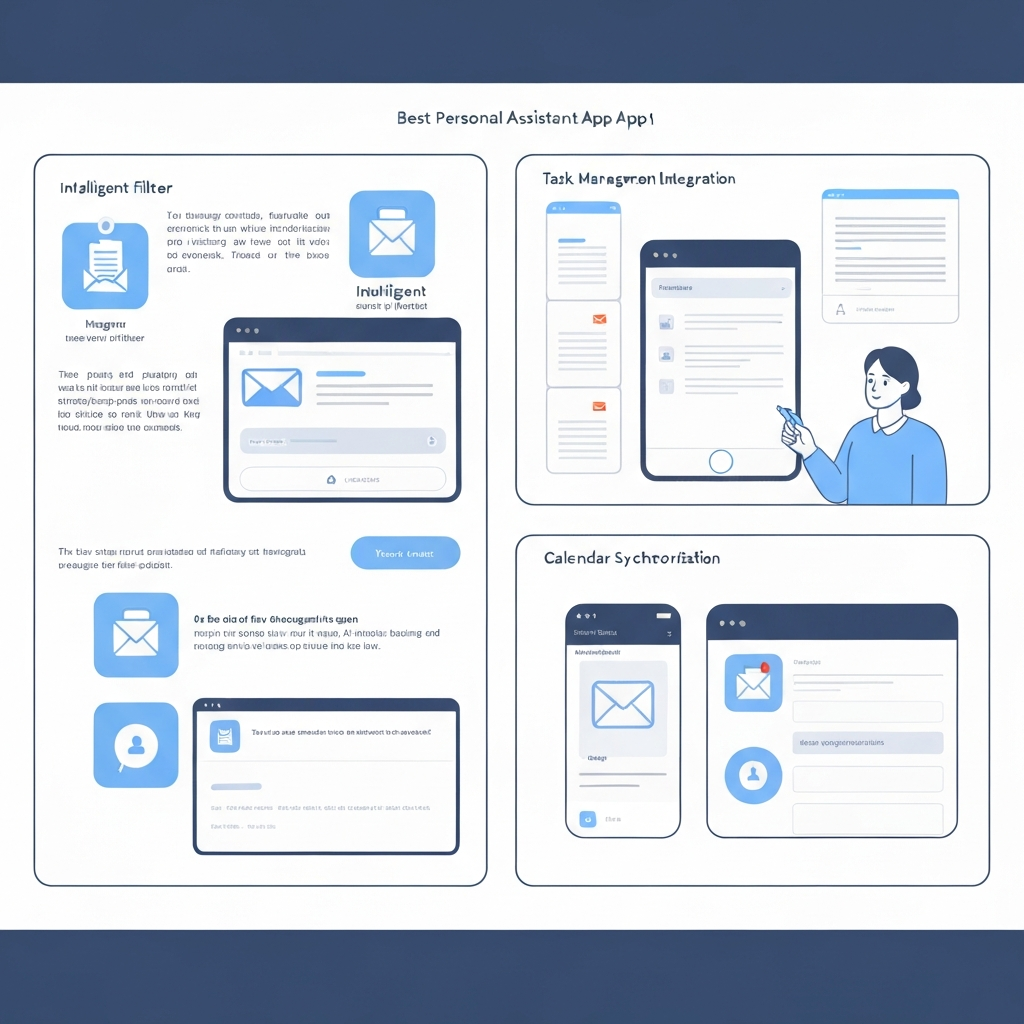
The dream of "inbox zero" often feels unattainable due to the sheer volume of messages. A truly effective app will offer a smart inbox feature that goes beyond basic spam filtering. It should intelligently learn which emails are most important to you based on sender, keywords, project relevance, and your past interactions. This means critical client requests or urgent team updates are surfaced immediately, while newsletters or promotional emails are neatly tucked away.
Automated Response Generation and Drafting
This is where AI truly shines. The ability to automatically draft responses or suggest replies based on the email's content and your typical communication style can save an enormous amount of time. Advanced features might include:
- Context-Aware Drafts: AI that understands the nuance of a conversation and drafts a reply in your voice.
- Templated Responses: For common inquiries, AI can quickly generate a polished response.
- Follow-up Reminders: AI can prompt you to follow up on emails that haven't received a response.
Tools like NewMail AI highlight the power of these "personalized auto-drafts" that are "tailored to your tone and communication style."
Email Summarization
Long email threads can be daunting. An AI assistant that can provide concise summaries of lengthy conversations is invaluable. This allows you to quickly grasp the key points, decisions, and action items without having to read through every single message, saving significant time when catching up or joining a new thread.
Task Extraction and Management
Many emails contain implicit or explicit requests that require action. The best apps can identify these action items (e.g., "Please send the Q3 report by Friday," "Can you book a meeting for next week?") and automatically convert them into tasks within your to-do list or calendar. This form of task automation ensures nothing important gets forgotten.
Scheduling Assistance
Coordinating meetings can be a logistical nightmare. AI assistants can help by analyzing your calendar, suggesting available times, and even handling the back-and-forth of finding a mutually convenient slot. Some integrate directly with your calendar to book appointments seamlessly.
Natural Language Understanding (NLU)
The app's ability to understand the intent, sentiment, and context of your emails is crucial. Advanced NLU allows the AI to interpret complex requests, identify urgency, and differentiate between casual conversation and critical business communication.
Integration Capabilities
For maximum efficiency, your email assistant should integrate smoothly with your existing tools. This includes:
- Email clients (Gmail, Outlook, etc.)
- Calendars (Google Calendar, Outlook Calendar)
- CRM systems
- Project management software
- Note-taking apps
Seamless integration ensures data flows freely and your AI assistant becomes a central hub for your communications and tasks.
Top Personal Assistant Apps for Email Management (with brief pros/cons)
While the landscape of AI tools is constantly evolving, several platforms and features stand out for their effectiveness in email management. It's less about a single "best" app and more about finding the one that best fits your ecosystem and specific needs. Here, we look at capabilities offered by leading AI assistants:
Google Gemini
Pros: Deeply integrated with the Google Workspace ecosystem. Excellent at handling document-related tasks within emails and leveraging Google's powerful AI models for understanding context. Can assist with drafting, summarizing, and information retrieval from your connected Google services. As mentioned in reviews, Gemini is "Google’s most powerful AI assistant" and is "Best for Google-native document and email tasks."
Cons: Primarily beneficial for users heavily invested in Google services. May require specific subscription tiers for full functionality.
Microsoft Copilot
Pros: Designed for the Microsoft 365 environment. Integrates directly into Outlook, Word, Excel, and Teams. It can summarize email threads, draft responses, generate meeting notes, and assist with document creation, all within the apps you use daily. It's highlighted as "Best for productivity inside Office apps."
Cons: Best suited for Microsoft ecosystem users. Availability and pricing can vary based on enterprise agreements or subscription levels.
Shortwave
Pros: Often cited as an "all-in-one tool for managing your inbox" with "advanced AI automation." Shortwave aims to transform the entire email experience, focusing on intelligent organization, faster responses, and a streamlined interface designed for high-volume users. It offers features like smart sorting, AI-powered drafting, and quick actions.
Cons: Might have a learning curve for users accustomed to traditional email clients. Focus is heavily on email, so integration with other productivity suites might be less deep than Gemini or Copilot.
General AI Assistant Capabilities (e.g., Claude, Grok)
Beyond specific email platforms, general-purpose AI assistants can also provide significant email support. Tools like Claude (accessible via platforms like Saner.ai) or Grok (known for "quick, conversational answers with a personality") can be used to:
- Draft emails: Provide prompts and have the AI write a complete draft.
- Summarize content: Paste email text into the AI for a quick overview.
- Brainstorm responses: Ask for ideas on how to reply to a tricky email.
- Proofread and edit: Ensure your outgoing messages are clear and error-free.
These tools act as powerful writing aids and information processors, augmenting your ability to handle email efficiently, even if they don't directly manage your inbox.
How AI Assistants Automate Communication and Save Time
The true magic of an AI email assistant lies in its ability to automate tedious communication tasks and reduce the time you spend tethered to your inbox. Here's how:
Automated Triage and Prioritization
Instead of you manually sorting emails, AI can learn to identify urgent messages, categorize incoming mail based on sender or topic, and flag items requiring immediate attention. This "smart inbox" approach means less time spent scrolling through less important messages and more time focused on what matters most.
Rapid Response Generation
Drafting emails, especially for common inquiries, can be repetitive. AI can:
- Suggest quick replies: Offer pre-written, contextually relevant responses you can send with a click.
- Generate full drafts: Based on a few keywords or a brief prompt, AI can compose a complete email, saving you the effort of writing from scratch. This is a significant form of task automation.
- Personalize messages: AI can tailor drafts to match your established tone and style, ensuring professionalism and consistency.
This directly impacts your email response ROI, as faster, more consistent replies can lead to better client relationships and quicker deal closures.
Information Synthesis and Summarization
Faced with a long email chain? Instead of rereading everything, AI can provide a concise summary, extracting key decisions and action items. This is invaluable for catching up on missed conversations or quickly understanding the status of a project, saving precious minutes that add up over the week.
Proactive Task Management
Emails often contain tasks disguised as requests. AI can scan your inbox for action verbs and deadlines, automatically creating to-do items. For instance, "Could you send over the report by EOD?" can be instantly translated into a task on your list, significantly reducing the chance of forgetting important follow-ups.
Reduced Context Switching
Constantly jumping between reading emails, writing replies, checking your calendar, and updating tasks fragments your attention. AI assistants consolidate many of these micro-tasks, allowing you to stay in a focused state for longer periods. By handling the routine, they enable you to engage more deeply with complex, high-value work, embodying the essence of the best ai for work.
Integrating a Personal Assistant App into Your Professional Workflow
Adopting a new tool can seem daunting, but integrating a personal assistant app for email doesn't have to be disruptive. Here’s a practical approach:
1. Identify Your Biggest Email Pain Points
Before choosing an app, pinpoint what frustrates you most: Is it the sheer volume? The time it takes to draft replies? Missing deadlines? Difficulty finding information? Understanding your primary pain points will help you select an app with features that directly address them.
2. Choose the Right Tool for Your Ecosystem
If you live in the Google Workspace, an AI assistant with strong Gemini integration might be ideal. For Microsoft 365 users, Copilot offers unparalleled synergy. For those seeking a dedicated email-centric solution, apps like Shortwave could be a better fit. Consider your existing software stack.
3. Connect Your Accounts Securely
Most AI email assistants require access to your email and calendar. Ensure the app you choose has robust security protocols and clear privacy policies. Connect your accounts, and grant only the necessary permissions.
4. Configure and Train (If Applicable)
Some AI assistants learn from your behavior. Take time to set up preferences, define your typical communication style, and perhaps label a few emails to help the AI understand your priorities. This initial training phase is crucial for long-term effectiveness.
5. Start Small and Scale Up
Don't try to automate everything at once. Begin with one or two features. For example:
- Use AI to draft routine responses for a week.
- Experiment with the summarization feature on long threads.
- Set up automated task extraction for specific keywords.
Once you're comfortable, gradually introduce more advanced functionalities.
6. Leverage for Business Email
If you operate a business, ensure your chosen app works seamlessly with your professional email setup. Using a dedicated business email address, like one you might set up through a service like Google Workspace or Microsoft 365, provides a professional image and often integrates better with advanced productivity tools. Tools that help manage your business email efficiently are critical for maintaining client trust and operational smoothness. For guidance on setting this up, consider reading a guide on how to make a business email account or specific tips for making business email Gmail.
7. Explore Broader Virtual Assistance
Remember that AI assistance extends beyond just email. If you find value in streamlining communication, you might also benefit from exploring broader virtual office assistant functionalities. A virtual office assistant can help manage calendars, schedule appointments, and handle administrative tasks, further freeing up your time.
Measuring the ROI: Time Saved and Productivity Gained
Implementing an AI personal assistant app isn't just about adopting new technology; it's about investing in your productivity. Measuring the return on investment (ROI) can be done both quantitatively and qualitatively.
Quantitative Metrics
- Time Saved: Track how many hours you or your team spend on email management before and after implementing the app. Even saving 30 minutes a day translates to significant hours saved over a month or year. For example, if you save 2 hours per week, that's 104 hours annually – nearly three full work weeks!
- Response Time Improvement: Monitor how quickly you respond to client inquiries or internal requests. Faster responses can lead to better customer satisfaction and quicker project progression. This directly contributes to your email response ROI.
- Task Completion Rate: Observe if the number of tasks derived from emails that are completed on time increases. AI's ability to extract and manage tasks can drastically reduce missed deadlines.
- Reduced Error Rate: Automated drafting and proofreading can lead to fewer typos and grammatical errors in your communications.
Qualitative Benefits
- Reduced Stress and Burnout: A less overwhelming inbox leads to a calmer, more focused professional.
- Increased Focus on High-Value Work: By offloading routine tasks, you gain more mental energy for strategic thinking, creativity, and complex problem-solving. This is a significant benefit of using the best ai for work.
- Improved Work-Life Balance: Efficient email management means less time spent on email outside of work hours.
- Enhanced Professional Image: Prompt, clear, and consistent communication reflects positively on your professionalism.
- Better Organization: Knowing that important information is captured and action items are tracked provides peace of mind.
Ultimately, the goal is to leverage AI help for email and other tasks to create a more efficient, less stressful, and more productive work environment.
Conclusion: Choosing the Right AI Assistant for Peak Email Productivity
The relentless tide of emails is a challenge that affects nearly every professional. Fortunately, the advent of AI-powered personal assistant apps offers a powerful solution. By intelligently filtering messages, automating responses, summarizing content, and extracting tasks, these tools act as indispensable allies in the fight against inbox overload.
The best personal assistant app for you will depend on your specific needs, your existing tech stack, and your primary pain points. Whether you're a heavy Google Workspace user benefiting from Gemini, a Microsoft 365 devotee leveraging Copilot, or seeking a dedicated email management solution like Shortwave, the opportunity to reclaim your time and boost your productivity is significant.
Start by identifying your biggest email challenges, explore the features offered by leading AI assistants, and consider how they integrate with your current workflow. Remember that the goal isn't just to adopt new technology, but to fundamentally improve how you manage your professional communications and tasks. For professionals seeking to elevate their email game further, especially those looking for advanced, bespoke support, exploring dedicated solutions like an ai executive assistant can provide that crucial edge in managing complex communications and driving strategic outcomes.
Don't let your inbox control your day. Embrace the power of AI and start your journey towards peak email productivity today.

Frequently Asked Questions
