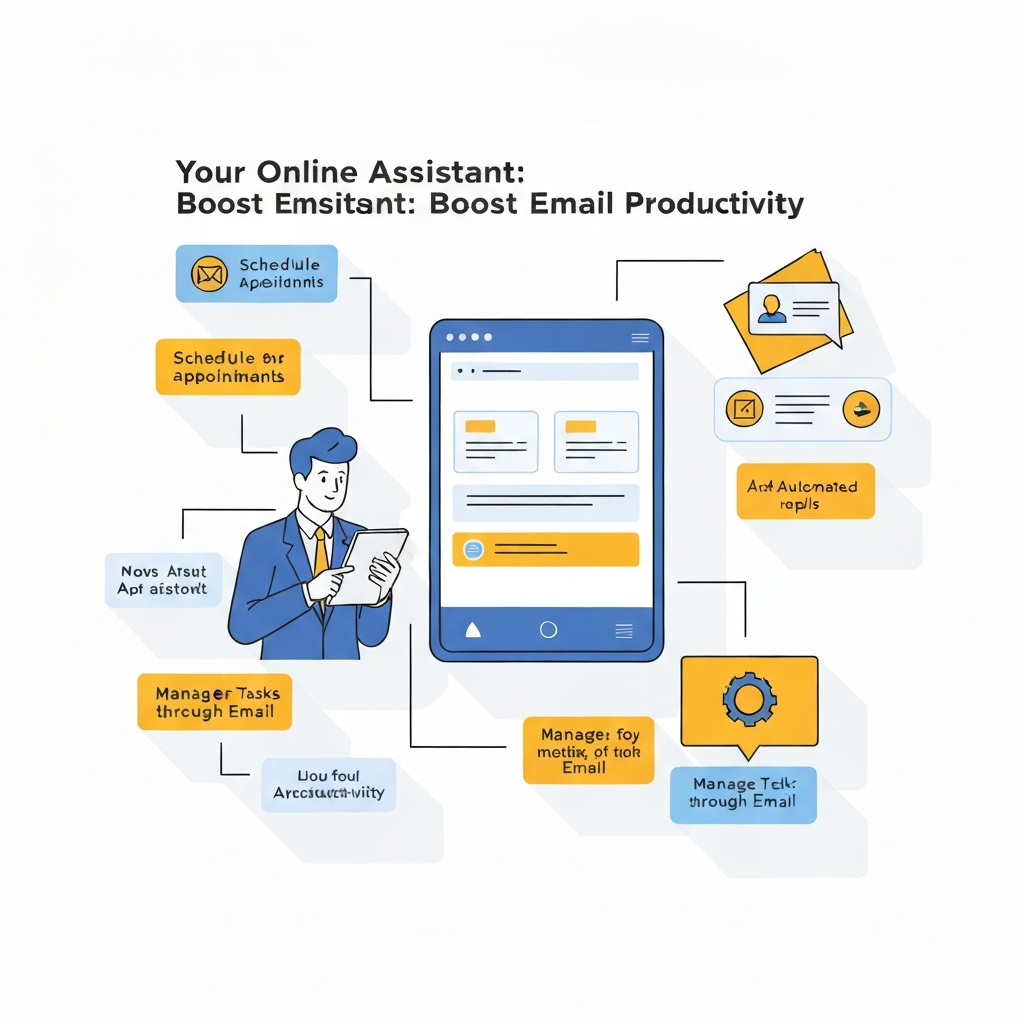
Your Online Assistant: Boost Email Productivity

In today's fast-paced professional world, the inbox often feels less like a communication channel and more like a relentless tidal wave. For many, the sheer volume of emails can be overwhelming, leading to missed deadlines, delayed responses, and a significant drain on valuable time. This constant battle with our inboxes can stifle creativity, hinder strategic thinking, and ultimately impact overall productivity. But what if there was a way to reclaim your time and conquer email overload? Enter the online assistant, a revolutionary force, particularly when powered by Artificial Intelligence (AI), poised to transform how we manage our digital communications.
This article delves into the transformative power of AI-driven online assistants, exploring how they can significantly enhance email productivity for business professionals across various sectors. We'll address the common pain points associated with email management and reveal how intelligent tools can streamline workflows, reduce cognitive load, and free up precious hours. From sorting and prioritizing messages to drafting responses and scheduling crucial follow-ups, an online assistant can become your most indispensable digital ally.
What is an Online Assistant and How Does it Work for Email?
An online assistant, in the context of email productivity, refers to a software application or platform that leverages advanced technologies, most notably Artificial Intelligence (AI), to help manage and process email communications. Unlike a traditional human virtual assistant, an AI-powered online assistant operates 24/7, can process vast amounts of data instantaneously, and learns from your patterns to become more efficient over time. Think of it as a highly intelligent, always-on member of your team dedicated to taming your inbox.
These assistants work by employing several key AI technologies:
- Natural Language Processing (NLP): This allows the assistant to understand the content, context, and sentiment of your emails. It can discern urgency, categorize messages, and even identify action items within a conversation.
- Machine Learning (ML): Through ML algorithms, the assistant learns your preferences, your communication style, and how you typically handle different types of emails. This enables it to make increasingly accurate suggestions and automate tasks tailored to your specific workflow.
- Generative AI: This is the technology behind drafting capabilities. It can generate coherent, contextually relevant text for email responses, summaries, or even entirely new messages based on brief prompts or existing conversation threads.
Essentially, an AI email management system acts as a sophisticated filter, sorter, and responder, working in tandem with your existing email client. It's designed to handle the repetitive, time-consuming aspects of email management, allowing you to focus on what truly matters.
Key Roles of an Online Assistant in Email Management
The capabilities of an online assistant extend far beyond simple filtering. These tools can take on a variety of critical roles to optimize your email workflow:
Sorting and Prioritization: Taming the Inbox Chaos
One of the most significant challenges is knowing what to address first. An online assistant can:
- Categorize Emails: Automatically sort incoming messages into predefined or learned categories (e.g., urgent, important, newsletters, social, project-specific).
- Prioritize Based on Urgency and Sender: Identify emails from key contacts or those containing urgent keywords and flag them accordingly. This is a core aspect of smart inbox management.
- Filter Out Noise: Effectively manage spam and low-priority promotional emails, ensuring they don't clutter your main view.
Drafting and Responding: Accelerating Communication
Staring at a blank screen is a productivity killer. AI assistants can help by:
- Generating Draft Replies: Based on the content of an incoming email, the assistant can suggest or draft a reply, saving you significant typing time.
- Providing Response Templates: Offer pre-written templates for common inquiries, which can be quickly selected and sent.
- Adjusting Tone and Style: Some advanced tools can refine the tone of your drafted response to be more formal, casual, or persuasive as needed.
- Summarizing Long Threads: Quickly get the gist of lengthy email chains without reading every single message, enabling faster decision-making.
Scheduling and Follow-ups: Ensuring Nothing Slips Through the Cracks
Missed follow-ups can cost deals and damage relationships. An online assistant can:
- Automate Meeting Scheduling: Suggest available times and help coordinate schedules for meetings directly from email threads.
- Set Smart Reminders: Proactively remind you to follow up on emails you've sent or those requiring a response.
- Track Sent Emails: Monitor whether a sent email has been opened or replied to, providing valuable insights.
Task Management Integration: Turning Emails into Action
Emails often contain actionable items. An online assistant can help by:
- Creating Tasks: Automatically or with a simple command, convert an email into a task in your to-do list or project management tool.
- Extracting Key Information: Pull out important dates, names, or details from emails to populate your calendar or CRM.
These capabilities are fundamental to effective email organization tips, moving beyond manual sorting to intelligent automation.
Boosting Productivity: Specific AI-Powered Features to Look For
When evaluating AI-powered solutions, certain features stand out for their ability to deliver significant productivity gains. These are the hallmarks of intelligent AI email management and powerful AI productivity hacks:
- Intelligent Prioritization Engine: Beyond simple sender rules, this engine uses ML to learn what's truly important to *you*, considering factors like sender relationship, keywords, and your past interactions. It moves beyond basic smart inbox management to personalized relevance.
- AI-Powered Drafting and Summarization: Look for assistants that can generate nuanced drafts and concise summaries. Tools like those found on platforms such as Spike are integrating these features to streamline message creation and comprehension.
- Automated Workflow Triggers: The ability to set up custom rules that trigger actions based on email content or sender is crucial. For example, automatically moving all invoices to a specific folder or creating a task for all emails with "follow-up required."
- Contextual Understanding: The assistant should be able to understand the context of an entire conversation thread, not just the latest email, to provide more relevant suggestions or summaries.
- Tone Adjustment: For professionals who communicate with diverse audiences, AI that can help adjust the tone of a message (e.g., making it more professional, friendly, or concise) is invaluable. As noted by Gmelius, tools like Gemini can significantly speed up message creation by refining drafts.
- Smart Scheduling Integration: Seamless integration with your calendar to find optimal meeting times, propose them, and even handle confirmations directly from email.
- Proactive Follow-up Reminders: An assistant that doesn't just remind you but intelligently suggests *when* and *how* to follow up based on the original email's context.
These advanced features are transforming how we interact with our email, making it a more efficient tool rather than a burden. For example, even platforms like Spark are embedding AI to help users conquer the blank page of email composition, as highlighted by Spaceship.com.
Real-World Benefits for Different Professionals
The impact of an online assistant is not uniform; it provides tailored benefits to various professional roles:
Executives
For busy executives, time is their most precious commodity. An online assistant can:
- Filter out non-essential communications: Allowing them to focus on high-level strategic decisions.
- Provide concise summaries: Ensuring they grasp the core message of lengthy reports or discussions quickly.
- Manage their calendar efficiently: Reducing time spent on scheduling and rescheduling.
- Ensure timely follow-ups on critical matters.
For busy executives, an ai executive assistant can be invaluable in managing the constant influx of information and requests.
Entrepreneurs
Entrepreneurs often wear multiple hats and are short on resources. An online assistant can:
- Automate repetitive tasks: Freeing up time for core business development and innovation.
- Streamline customer communication: Ensuring prompt responses to clients and prospects, enhancing customer satisfaction.
- Organize leads and inquiries: Helping them manage their sales pipeline effectively.
- Reduce the cognitive load associated with constant email monitoring.
Sales and Marketing Professionals
In sales and marketing, timely and relevant communication is key to success. An online assistant can:
- Accelerate response times to leads: Directly impacting conversion rates. This ties into the importance of boosting sales email velocity.
- Automate follow-up sequences: Nurturing leads without manual effort.
- Personalize outreach: By providing context and suggesting relevant talking points.
- Analyze email engagement: Offering insights into what resonates with prospects.
Remote Workers
For those working remotely, clear and efficient communication is paramount for collaboration and productivity. An online assistant can:
- Facilitate asynchronous communication: Helping team members stay informed regardless of time zones.
- Ensure clear task delegation and tracking: Reducing miscommunication.
- Maintain organized project correspondence: Making it easy to find past discussions and decisions.
- Reduce the feeling of being "always on" by managing notifications and priorities effectively.
These tools are essential for maintaining high levels of efficiency in a distributed work environment, making them a key component of modern email productivity tools.
Choosing the Right Online Assistant for Your Needs
With a growing number of AI-powered solutions available, selecting the right online assistant requires careful consideration. Here’s a guide to help you make an informed decision:
1. Assess Your Biggest Pain Points
Start by identifying your most significant email challenges. Are you drowning in volume? Do you struggle with prioritizing? Is drafting responses taking too long? Your primary pain points will dictate the features you need most.
2. Identify Essential Features
Based on your pain points, list the must-have features. This might include advanced filtering, AI-powered drafting, automated follow-ups, or integration with your CRM. Tools like an ai executive assistant can offer a comprehensive suite for high-level needs.
3. Consider Integration Capabilities
The assistant should seamlessly integrate with your current email client (like Gmail or Outlook) and other productivity tools you use (e.g., calendars, task managers, CRMs). Compatibility is key to a smooth workflow. Explore options for your business email client to see which assistants offer the best synergy.
4. Evaluate Security and Privacy
Your email contains sensitive information. Ensure the online assistant provider has robust security measures and a clear privacy policy that aligns with your organization's compliance requirements.
5. Look at User Interface and Ease of Use
A powerful tool is useless if it's too complex to use. Opt for a solution with an intuitive interface that requires minimal training. Many offer free trials, allowing you to test usability firsthand.
6. Compare Pricing and Scalability
Online assistants come with various pricing models. Consider your budget and whether the subscription tiers offer flexibility as your needs grow. Some offer robust free plans for basic needs, while others are premium services for advanced features.
By carefully evaluating these factors, you can find an AI email management solution that truly fits your workflow and boosts your efficiency.
Integrating Your Online Assistant into Your Daily Workflow
Acquiring an online assistant is only the first step; effectively integrating it into your daily routine is where the real productivity gains happen. Here’s how to make the most of your new digital ally:
Start Small and Gradually Expand
Don't try to automate everything at once. Begin by implementing one or two key features, such as automated sorting or basic reply suggestions. Once you're comfortable and seeing benefits, gradually introduce more complex functionalities.
Train Your AI Assistant
Most AI assistants learn from your behavior. Provide feedback on suggested replies, correct miscategorizations, and refine prioritization rules. The more you interact and guide it, the better it will become at serving your specific needs. This iterative process is crucial for achieving optimal smart inbox management.
Set Clear Expectations and Boundaries
Understand the limitations of your AI assistant. While it can automate many tasks, it's not a replacement for strategic human judgment. Know when to review its suggestions thoroughly and when to override its actions. For instance, while it can help get a virtual assistant to manage your inbox, human oversight remains vital for complex decision-making.
Regularly Review and Refine
Periodically check the assistant's performance. Are the filters working as intended? Are the drafted responses accurate? Is it helping you achieve your goals? Adjust settings and rules as needed to ensure it continues to align with your evolving workflow. This practice is part of mastering your inbox, as detailed in Master Your Inbox: Easy Ways to Manage Your Inbox.
Combine AI with Human Intelligence
The most effective approach is often a hybrid one. Use the AI assistant to handle the heavy lifting—sorting, drafting, scheduling reminders—while you focus on crafting high-impact communications, building relationships, and making strategic decisions. Platforms like Spike aim to blend communication and task management, further integrating AI into daily operations.
By thoughtfully integrating your online assistant, you can transform your email habits and unlock new levels of efficiency.
Conclusion: Embracing AI for a Smarter, More Productive Inbox
The relentless barrage of emails is a modern professional challenge that no longer needs to define our workday. The advent of the online assistant, supercharged by Artificial Intelligence, offers a powerful and accessible solution. From intelligently sorting and prioritizing messages to drafting responses and managing follow-ups, these tools are fundamentally changing how we interact with our inboxes.
By leveraging features like NLP, ML, and generative AI, professionals can automate tedious tasks, reduce cognitive load, and reclaim hours each week. Whether you're an executive needing to focus on strategy, an entrepreneur juggling multiple roles, a sales professional aiming to close more deals, or a remote worker striving for seamless collaboration, an AI-powered online assistant provides tangible benefits. It’s about moving from being reactive to proactive, from being buried under emails to mastering your communication flow.
Choosing the right tool and integrating it thoughtfully into your workflow are key to unlocking its full potential. As demonstrated by various AI email assistant tools, the technology is mature and ready to enhance your professional life.
Don't let your inbox control your day. It's time to embrace the future of email management. Explore the options available, start with a free trial, and discover how an online assistant can revolutionize your productivity, streamline your communications, and help you achieve more. Your smarter, more efficient inbox awaits.

Frequently Asked Questions
