Notion Email: Boost Productivity with AI Tools
In the modern professional landscape, productivity tools like Notion have become indispensable for organizing tasks, projects, and knowledge. Yet, for many, the persistent challenge remains: the overwhelming deluge of email. We meticulously structure our projects in Notion, only to find our inboxes overflowing with communications that demand immediate attention, often pulling us away from our carefully planned workflows. This disconnect creates a significant drain on productivity, leading to missed action items and constant context switching. This article explores how the synergy between Notion and advanced AI email management tools can revolutionize your approach to handling correspondence, transforming your inbox from a source of stress into a powerful engine for efficiency. We'll delve into how intelligent solutions can enhance your ability to manage email efficiently and integrate seamlessly with your existing Notion setup, bringing you closer to true inbox zero.
Why Notion Users Need Smarter Email Management
Notion users are typically proactive, detail-oriented individuals who thrive on organization. They build custom dashboards, track complex projects, manage databases, and meticulously plan their professional lives within this flexible workspace. However, email often operates as a parallel, and frequently chaotic, universe that doesn't naturally align with this structured environment. An email can contain a critical client request, a vital project update, or a time-sensitive task that, if mishandled, can easily disrupt even the most robust Notion workflow. The specific pain points experienced by Notion users include:
- Information Silos: Crucial details, decisions, and action items from emails often remain trapped within the inbox, failing to be integrated into Notion's centralized knowledge base or task lists.
- Context Switching Costs: The constant need to toggle between deep work in Notion and the demands of an active inbox significantly fragments attention, leading to substantial time loss and reduced cognitive performance.
- Missed Action Items: Amidst high email volumes, important follow-ups, requests, and deadlines can easily be overlooked, jeopardizing project timelines and client relationships.
- Manual Data Entry Burden: Extracting information from emails to manually create tasks, notes, or database entries in Notion is a tedious, repetitive, and error-prone process.
The fundamental challenge isn't a lack of powerful productivity software like Notion, but rather the friction between the primary communication channel (email) and the central hub for productivity and organization. Achieving true inbox organization requires more than just manual sorting and rule-based filters; it demands intelligent, context-aware assistance.
AI's Role in Transforming Your Inbox
Artificial intelligence is rapidly evolving from a futuristic concept into a practical tool that is fundamentally reshaping how we manage our professional lives. For email, AI represents a significant paradigm shift, moving beyond rudimentary automation and static filters to intelligent, adaptive systems that understand the content and context of your communications. These cutting-edge email productivity tools offer capabilities that were once the domain of human assistants:
- Intelligent Prioritization and Categorization: AI can analyze incoming emails to determine their urgency, sender importance, and thematic relevance, automatically sorting them into distinct categories (e.g., Urgent, Action Required, FYI, Low Priority).
- Concise Summarization: AI algorithms can scan lengthy email threads and distill them into concise summaries, highlighting the main points, key decisions, and agreed-upon next steps. This dramatically reduces reading time and helps users quickly grasp the essence of a conversation.
- Action Item Detection: Advanced AI can identify explicit or implicit tasks, deadlines, and requests embedded within email content, flagging them for follow-up.
- Automated Response Generation: For common inquiries or routine communications, AI can draft appropriate responses, which users can then review and send, saving significant time.
This intelligent approach to AI email management is crucial for combating the overwhelming nature of modern inboxes. As noted by TechFinitive, platforms like Notion are actively integrating AI to enhance user productivity, underscoring the growing trend. The ultimate goal is to shift from a reactive, manual email handling process to a proactive, AI-assisted one, ensuring that your inbox becomes a strategic asset rather than a time sink.
How AI Email Tools Complement Notion Workflows
The true potential for enhanced productivity is unlocked when AI-driven email management solutions are integrated with, or complement, your existing Notion setup. Rather than viewing email and Notion as separate, competing tools, AI can act as a powerful, seamless bridge between them. Imagine receiving an email containing a new client inquiry or a critical project update. An AI-powered email tool can:
- Identify and Categorize: Recognize the email's purpose (e.g., new lead, project task, information request) and assign it the appropriate priority and category.
- Extract Key Data: Automatically pull out essential information such as client names, contact details, project scopes, deadlines, and specific action items.
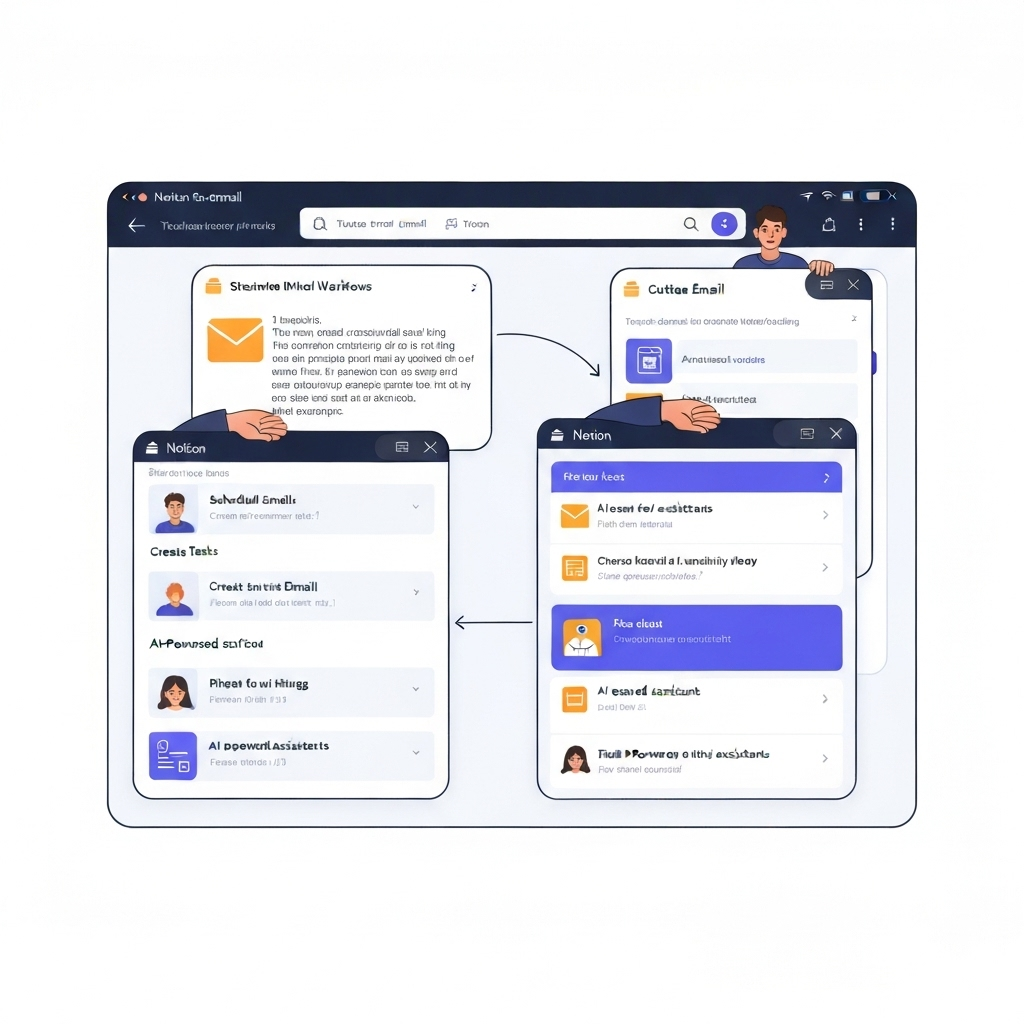
- Create Notion Entries: Populate new pages within your Notion databases (e.g., a CRM, a project management board, a task list) with the extracted information. This ensures that actionable insights from your communications are immediately captured within your primary organizational system.
- Generate Tasks: Automatically create new tasks in your Notion "To-Do" list or project boards, complete with relevant context and links back to the original email thread.
This level of intelligent Notion integration email transforms your inbox from a passive repository of messages into an active input mechanism for your entire productivity ecosystem. It guarantees that critical information and actionable items from your communications are seamlessly processed within your preferred workflow, significantly enhancing the effectiveness of your business email solutions.
Key AI Features for Notion Email Productivity
To truly harness the power of AI for your Notion email workflow, it's essential to understand the specific AI capabilities that drive efficiency. These features are designed to streamline communication, reduce manual effort, and ensure that no critical information gets lost:
Intelligent Summarization
Long email threads can be daunting and time-consuming to read. AI can scan entire conversations and provide a concise, easy-to-digest summary, highlighting the main points, decisions made, and any outstanding next steps. This feature is invaluable for quickly catching up on email chains after meetings, during busy periods, or when onboarding onto a new project.
Smart Sorting and Prioritization
Beyond basic filters, AI can learn your communication patterns, sender importance, and topic relevance. It can automatically categorize emails, differentiating between urgent client queries, internal team updates, marketing newsletters, or spam. This ensures that critical communications are surfaced promptly, significantly improving inbox organization and allowing you to focus on what matters most.
Automated Task Creation and Delegation
This is perhaps the most impactful AI feature for bridging email and productivity platforms like Notion. AI can identify actionable items within emails, such as "Please send the Q3 report by Friday" or "Can you review this proposal before the meeting?". The AI can then:
- Extract Task Details: Accurately identify the specific action required, the associated deadline, and potentially the responsible party.
- Create Tasks in Notion: Automatically generate a new task in your Notion project management system, populating fields like task name, description, and due date. Often, it can also include a direct link back to the original email for full context.
- Assign Tasks: If the AI can intelligently discern who should handle a task, it can assign it directly within Notion or notify the relevant team member.
- Schedule Follow-ups: Set reminders for yourself or others regarding pending actions derived from emails.
For busy professionals, leveraging an ai executive assistant can be a game-changer, providing sophisticated email management that syncs with your broader productivity tools. Such platforms are designed to handle the heavy lifting of email processing, freeing up valuable cognitive resources.
Contextual Information Extraction
AI excels at identifying and extracting specific data points from emails, such as meeting times, physical addresses, phone numbers, project codes, or contact details. This information can be made easily accessible or automatically populated into corresponding fields in other applications, reducing manual data entry and minimizing the risk of errors.
Intelligent Response Drafting
For frequently asked questions, standard inquiries, or routine acknowledgments, AI can draft potential responses based on the email's context. You can then review, edit, and send these drafts quickly, maintaining consistent communication and saving considerable time. This capability is a cornerstone of modern workplace email management.
Collectively, these AI features transform your email inbox from a passive repository of messages into an active, intelligent system that directly fuels your productivity workflow.
Choosing the Right AI Email Solution for Your Notion Setup
The market is increasingly populated with email productivity tools leveraging AI. Selecting the most appropriate solution for a Notion-centric workflow requires a strategic approach. Here are key factors to consider:
Integration Capabilities
This is paramount. Look for AI solutions that offer native integrations with Notion or provide robust API support. Seamless Notion integration email is crucial for automating task creation, data population, and project updates without manual intervention.
AI Feature Set
Evaluate the specific AI capabilities offered by the tool. Does it excel in summarization, intelligent task extraction, smart categorization, or automated response drafting? Ensure the features directly address your most significant email management pain points and align with your Notion workflow.
Ease of Use and Customization
The platform should be intuitive to set up and operate. Can you customize its AI learning to better understand your specific industry jargon, company contacts, and project terminology? A flexible and adaptable system will yield better results over time.
Security and Privacy
When dealing with sensitive business communications, robust security protocols and stringent data privacy policies are non-negotiable. Investigate how the provider handles your data and ensure compliance with relevant regulations. Notion itself is prioritizing data security, offering features like local data residency for EU customers, as reported by TechFinitive.
Scalability and Reliability
As your business grows and your email volume increases, can the AI solution scale effectively? Consider its capacity for handling more complex workflows and a larger number of messages without performance degradation. Reliability is key to ensuring your productivity system remains consistent.
Cost-Effectiveness
Compare pricing models against the tangible value provided. Calculate the potential return on investment (ROI) in terms of time saved, errors reduced, and productivity gained. A more expensive tool might be more cost-effective if it significantly streamlines your operations.
When evaluating mail app options or dedicated AI email managers, prioritize those that clearly demonstrate strong integration potential with productivity suites like Notion. This ensures your email management efforts directly contribute to your overall efficiency and act as a sophisticated digital assistant.
Actionable Tips: Integrating AI Email with Your Daily Notion Routine
Successfully integrating AI email management into your Notion workflow involves more than just selecting a tool; it requires adopting new habits and optimizing your processes. Here’s a practical guide to making this synergy work:
- Define Your Workflow Triggers: Clearly identify the types of emails or communication patterns that should automatically initiate an action within Notion. For example:
- New client inquiries could automatically create a new entry in your "Leads" database.
- Project-related questions with explicit deadlines can trigger task creation in your "Active Projects" board.
- Meeting requests might automatically add an event to your calendar and a placeholder task in Notion for preparation.
- Configure Your AI Tool Meticulously: Invest time in the initial setup of your chosen AI email solution. Define custom rules, train the AI on your specific contacts, projects, and preferred terminology, and map out precisely how extracted information should be formatted and populated within Notion. This foundational step is critical for long-term accuracy and efficiency.
- Leverage Notion for Follow-Up and Comprehensive Management: Once tasks, projects, or notes are created in Notion from your emails, utilize Notion's robust features for ongoing management. Assign owners, set granular due dates, add sub-tasks, attach relevant documents, and track progress visually. This centralization keeps all project-related information actionable and accessible.
- Regularly Review and Refine AI Performance: AI is a powerful tool, but it is not infallible. Periodically review the AI's performance to ensure it is correctly categorizing emails, extracting tasks accurately, and making appropriate suggestions. Provide feedback and refine your settings to continuously improve its accuracy and relevance to your specific workflow. This iterative process is key to maximizing the AI's effectiveness.
- Embrace Strategic Email Automation: Utilize AI to automate responses to frequently asked questions or to send templated acknowledgments for common inquiries. This frees up your valuable time for more strategic, high-impact communications. For instance, while tools for gmail bulk email exist, ensure your AI assistant can help manage the resulting interactions efficiently.
- Schedule Dedicated Email Processing Time: Even with AI assistance, it's beneficial to batch your email processing. Instead of constant interruptions, schedule specific times to review your AI-sorted inbox, approve drafted responses, and action any items that require your direct input. This practice helps maintain focus for deep work sessions within Notion.
- Utilize Notion's Native AI Features: Don't overlook Notion's own AI capabilities. While this article focuses on external email integration, Notion AI can assist with drafting content, summarizing meeting notes, or brainstorming ideas related to tasks that originated from emails. As the Notion blog highlights, their AI assistant can offer valuable suggestions to enhance your writing and synthesize information effectively.
By actively integrating these tips, you can transform your Notion email workflow from a source of daily friction into a highly efficient engine for productivity.
Conclusion: Achieving Inbox Nirvana with AI and Notion
In the demanding pace of modern professional life, mastering email management is no longer a mere convenience but a critical determinant of overall productivity. For professionals who rely on sophisticated organizational tools like Notion, the inherent disconnect with email can represent a significant bottleneck, hindering their ability to operate at peak performance. Fortunately, the emergence of intelligent AI email management solutions offers a transformative path forward, bridging this crucial gap.
By strategically integrating AI-powered tools with your Notion workflow, you can achieve unprecedented levels of inbox organization and learn to manage email efficiently. Advanced features such as automated summarization, intelligent sorting, and proactive task creation ensure that your inbox actively feeds your productivity system, rather than draining your time and energy. Embracing an ai executive assistant means delegating the complex, time-consuming processing of emails to intelligent software, thereby freeing you to concentrate on high-level strategy, critical decision-making, and execution within your Notion workspace. This powerful synergy between AI and Notion creates a dynamic ecosystem where communication is processed intelligently, actionable items are captured seamlessly, and overall professional productivity soars.
Stop allowing your inbox to dictate your day. Begin leveraging the power of AI to achieve true inbox zero and unlock a more organized, efficient, and productive professional life. The future of Notion email productivity is here, and it's powered by intelligent AI.
Frequently Asked Questions
